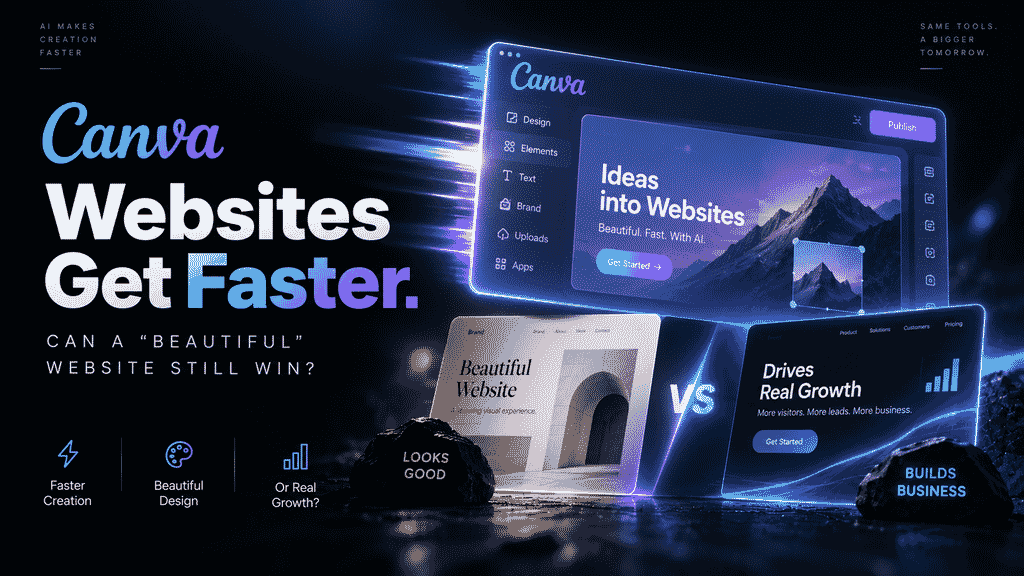
Yes, but “beauty” can win the first impression; it cannot win the customer decision on its own.
Canva has brought visual design, templates, and collaboration tools into a more accessible workflow. Public information describes it as an online design platform for a broad audience, supporting templates, drag-and-drop editing, and team collaboration. This Sohu report introduces Canva’s template and collaboration capabilities, while Dujiao’s company profile also positions it as an online graphic design platform. Regardless of the specific statistical definition behind the claim of “89 million websites” in the title, the trend is clear: visual web presentation is becoming easier to obtain. Gradients, animated banners, or AI-generated images alone are increasingly unlikely to create a lasting advantage.
What corporate websites truly compete on is a complete journey: Can visitors quickly understand what you sell? Do they believe you can deliver? Can they find you through search or AI-powered answers? Do they know what to do next? Visual appeal is the entry point, content and evidence build trust, SEO/GEO create discoverability, and conversion design turns attention into business opportunities.
Why Is “Beauty” Becoming Commoditized So Quickly?
In the past, businesses seeking a polished website often needed collaboration among designers, front-end developers, and content teams. Today, template libraries, component systems, and AI Website Builders standardize part of this work. Users can describe their requirements in natural language, quickly generate a page draft, and then replace images, copy, and brand elements.
These tools lower the cost of getting started and give small teams more opportunities to test and iterate quickly. However, standardization also produces three results:
- Smaller visual differences: Common cards, grids, gradients, and animations are easy to reuse.
- Going live does not mean the work is complete: Quickly generating pages does not mean that the information architecture, content evidence, and lead processes are ready.
- Aesthetic quality is not the same as business value: Visual design can improve perception, but it cannot replace product positioning, customer cases, or a clear action path.
Businesses should therefore redefine the question. Instead of asking, “How can we create a more beautiful page?” they should ask, “How can we help the target customer make a decision faster?”
The Four Layers of Corporate Website Competitiveness
A website can be divided into four layers and reviewed from the foundation upward:
| Layer | Question it must answer | Common deliverables | Evaluation standard |
|---|---|---|---|
| Information | Who is the company, and what problem does it solve? | Homepage, product pages, industry pages | Can the first screen and navigation communicate the value quickly? |
| Evidence | Why should customers trust you? | Customer cases, data, credentials, methodology | Is the evidence specific, understandable, and verifiable? |
| Discoverability | Where will customers find you? | SEO pages, structured content, FAQs | Are search intents being covered consistently? |
| Conversion | What should customers do next? | Trial, consultation, booking, form | Is the CTA clear, and is the path short enough? |
Many websites complete only the first layer, or even treat the first layer as equivalent to visual design. Sustainable website growth requires all four layers to support one another: without content, search has nothing to work with; without evidence, traffic struggles to build trust; without a conversion path, visits are unlikely to become leads.
Content: From “We Are Very Professional” to Citable Answers

The most common problem with corporate content is an excess of adjectives and a shortage of facts. “Leading,” “one-stop,” and “the preferred choice in the industry” do not help visitors make decisions. More valuable content should be organized around user questions, such as:
- What team size and stage is this product suitable for?
- Does it solve an efficiency, cost, or delivery-quality problem?
- What materials are needed for implementation, and when can users see assessable results?
- Compared with custom development, template-based website building, or a traditional CMS, what are the respective boundaries?
- Which scenarios are unsuitable? What prerequisites are required?
Each answer can be developed into a product page, industry solution, case study, or help center article. The more specific the content, the easier it is for people to understand and the more likely it is to become a basis for search engines and AI systems to identify the company’s capabilities. Customer names, performance figures, and timelines in cases must be authorized by the business and supported by evidence. When evidence is unavailable, replace exaggerated outcomes with processes, deliverables, and applicable scope.
SEO and GEO: Making Corporate Websites Easier to Understand
SEO is not just about placing keywords in titles. It requires a website to establish clear page relationships around real search intent: one topic should correspond to one primary page, and each page should have a clear title, summary, internal links, and readable body text. Product information, pricing, service scope, and contact details should not exist only in images or complex interactions.
GEO (Generative Engine Optimization) does not mean guaranteeing citations from a particular AI system. A more reliable approach is to make business information easy to parse: keep the brand name consistent, define products clearly, use question-and-answer structures, disclose boundaries and conditions, and add context through case studies, documentation, and author information. The goal is to reduce the cost of understanding—not to promise rankings, traffic, or recommendation results.
For B2B companies, building the following pages is often more effective than continuing to add animations:
- Product and feature pages: Explain the target user, capabilities, inputs, outputs, and limitations.
- Industry solution pages: Describe scenarios and decision criteria using industry-specific language.
- Comparison and selection pages: Clearly explain suitable users, cost structures, and alternatives.
- Case study pages: Describe the background, approach, deliverables, and publicly available results.
- FAQ and documentation pages: Answer recurring questions from sales, implementation, and procurement teams.
Three Scenarios: What Should Good Design Serve?
SaaS and AI teams need visitors to understand the product’s value within a few minutes. The homepage can use strong visual design, but it must immediately follow with the workflow, integration methods, target users, and trial entry point. Animations should not obscure core information or force users to wait too long for the first screen to load.
International and multilingual companies should not simply translate Chinese pages sentence by sentence. Navigation habits, proof materials, contact methods, and compliance requirements may differ across markets. Multilingual SEO should use independent page paths, maintainable localized content, and clear regional positioning.
Agencies, consultants, and personal brands need to build trust through portfolios. Instead of listing dozens of visuals, present the before-and-after process, strategic trade-offs, and delivery boundaries around customer problems. The number of projects is not the only metric. It is more important that a case enables potential customers to determine whether “you are right for me.”
How Should You Choose Between Template-Based Website Building and Custom Development?

Build a showcase site and grow leads in minutes
Describe your idea once, and We0 AI can generate a showcase site, pages, and CMS, then help you attract customers and traffic after launch.
One complete project generation for free registration
Best for trying one complete generation flow and seeing a first project draft quickly.
No single website-building approach suits every business. When making a choice, consider the objective, budget, and future changes together:
| Need | More suitable direction | Key points to confirm |
|---|---|---|
| Temporary campaign page or one-time promotion | Template or lightweight AI Website Builder | Launch speed, editing permissions, and export capabilities |
| Positioning validation for a startup | AI Website Builder or SaaS | Content iteration, domain, forms, and analytics |
| Ongoing SEO/GEO and content operations | Extensible platform or custom solution | CMS, structured content, permissions, and migration |
| Complex systems, multiple sites, or deep integrations | Custom development | Source code, interfaces, security, acceptance, and maintenance |
When comparing options, do not look only at homepage screenshots. Request demonstrations of the mobile experience, content publishing process, form notifications, page speed, data ownership, domain migration, and how assets are handled after deactivation. A solution that is inexpensive in the short term but impossible to update may create rebuilding costs as the business grows. High-spec custom development should also not be the default answer when objectives are unclear.
A Six-Step Process Businesses Can Execute Now
1. Define One Business Objective Clearly
For example, “generate trial applications” or “help procurement teams find a particular type of solution.” Do not simultaneously make brand awareness, recruiting, e-commerce, and customer support the primary objective.
2. List Ten Questions from Target Customers
Extract the original wording from sales conversations, customer service records, and proposal Q&A, then categorize the questions by awareness, comparison, purchase, and implementation stages.
3. Build an Evidence Checklist
Prepare a case study, product screenshot, document, credential, or publicly available data point for every core claim. Delete any performance promise that cannot be substantiated.
4. Create the Information Architecture Before the Visual Mockups
Determine the relationships among the homepage, product pages, industry pages, case study pages, and conversion entry points. Avoid cramming all information into one long page.
5. Use AI to Accelerate the First Draft, and People to Make the Judgments
AI is useful for generating page structures, organizing materials, and proposing copy variations. Brand positioning, factual accuracy, compliance review, and final decisions still require the team’s involvement.
6. Iterate Based on Problems After Launch
Continue to observe which pages generate visits, which questions cause users to leave, and where forms lose users. Then update the content and pathways. A website is not a one-time poster delivered once; it is a digital asset that can accumulate value continuously.
How We0 Connects Build, Showcase, Grow, and Leads
For teams that need to launch and continuously operate a corporate website quickly, We0 should not be understood as simply “generating a webpage.” The We0 website presents a workflow from natural-language descriptions and real-time AI construction to visual adjustments and domain publishing, with entry points for multi-agent collaboration, CMS, SEO, and GEO optimization.
In practice, a team can first use natural language to organize the website’s objectives, page scope, and materials, then have the system generate a functional website draft. The team can subsequently complete the product facts, case evidence, industry content, and conversion paths, and finally continue updating the site through the CMS. This process connects Build, Showcase, Grow, and Leads. However, it does not create credible cases automatically for the business, nor should it be understood as a guarantee of rankings, AI citations, or sales results. Platform capabilities can create long-term value only when combined with real business information and continuous operations.
Risks and Limitations: Do Not Treat Tool Capabilities as Growth Results
First, generated pages may contain factual errors, excessive promises, or copyright risks. Text, images, and third-party materials must be reviewed individually before publication.
Second, AI search answers and display formats will change. Any GEO method can only improve the comprehensibility of content; it cannot lock in citation results.
Third, visual effects may come at the expense of speed and accessibility. Check the mobile experience, keyboard navigation, text contrast, image alternative text, and whether core content depends on script loading.
Fourth, launching a website does not mean the lead-generation system is complete. The business must also define the lead owner, response time, CRM destination, privacy statement, and follow-up nurturing process.
Related Tools
- Website structure and page-priority checklist
- Customer question-to-content topic mapping table
- SEO/GEO page publishing checklist
- Case evidence and CTA review checklist
Related Links
- Introduction to Canva’s platform and design collaboration capabilities
- Canva company and product information
- We0.ai AI Website Building and growth capabilities
Summary
Canva makes it easier to create attractive pages. This is an efficiency benefit for businesses, but it also means that visual design itself is becoming less likely to serve as a moat. To compete over the long term, corporate websites should put aesthetics in the right position: design creates the first impression, content explains value, cases and data build trust, SEO/GEO makes information discoverable and understandable, and the conversion path supports the next action.
The next time you evaluate a website-building solution, ask one less question about whether “the templates look sophisticated enough” and ask five more: Can customers understand it? Is the evidence sufficient? Can search users find it? Can the content be updated continuously? Can leads be received and handled promptly? This standard is closer to the true growth value of a corporate website than judging whether a page looks attractive on its own.