
まず結論から:必要です。ただし、ダウンロードエリアを公式サイトの隅っこの「添付ファイル一覧」と見なすのはやめましょう。
Copilot のような製品は、チャット、検索、ファイル、ワークフロー、エージェントをひとつの入口に集めています。ユーザーはますます直接質問するようになっています:
「この製品は200人規模のチームに適していますか?」
「A案と比べて、導入と価格の違いはどこですか?」
「この仕様書を調達比較表にまとめてください。」
そこで多くのチームが自然とこう結論づけます:AI が要約できるのだから、公式サイトが PDF や Excel、製品マニュアルを維持する必要はないのでは?
この結論は、半分だけ正しいです。
AI は新たな発見の入口、説明の入口、さらには操作の入口になり得ます。しかし B2B の意思決定における重要な一歩では、調達、技術、法務、経営層は依然として保存・転送・照合・保管が可能な元資料を必要とします。Copilot が資料を読む手助けができるからといって、企業が資料を提供しなくてよいということにはなりません。
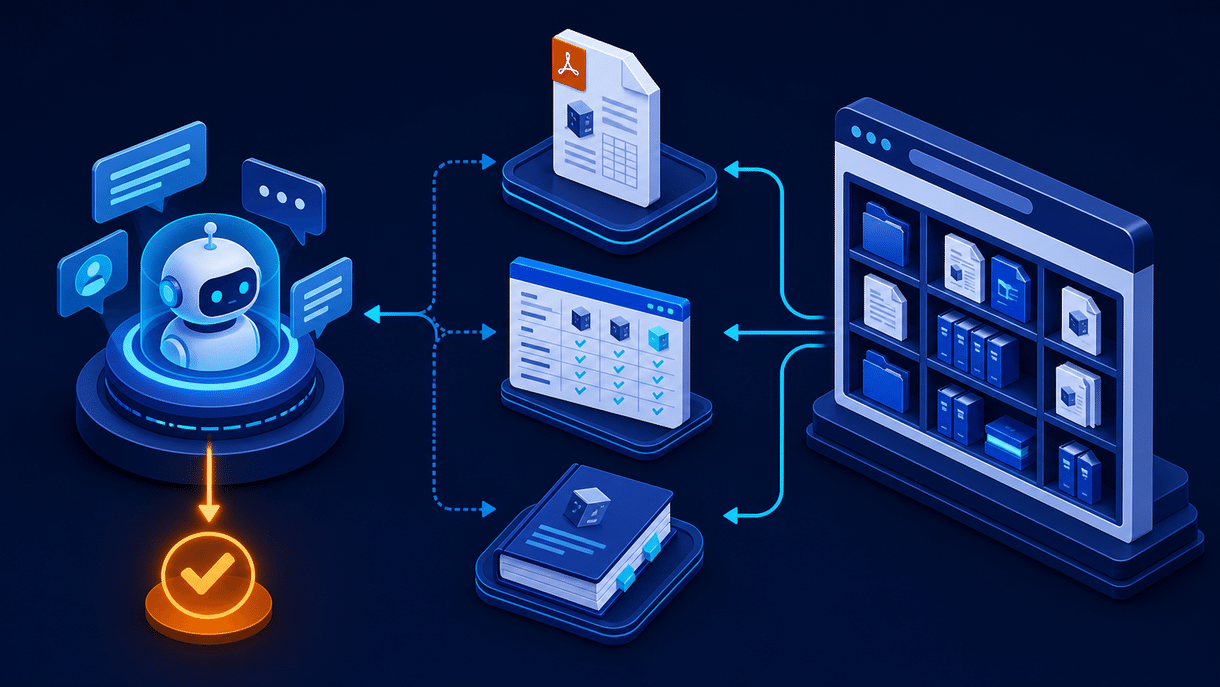
本当に変わるのは、「ダウンロードするかどうか」ではなく、資料が持つ位置づけ
従来の一般的な経路は:検索 → 公式サイトを開く → PDFをダウンロード → 営業に連絡。
現在は次のようになっています:AI・検索で質問 → 初步的な回答を得る → 公式サイトに戻って検証 → 資料をダウンロード・エクスポート → チーム内で評価 → 相談・調達。
Microsoft 365 Copilot に関する Microsoft の公式説明では、Copilot Chat はチャット、検索、作成、エージェントを1つにまとめた入口として位置づけられ、Outlook、Word、Excel、PowerPoint、OneNote に接続できます。もちろん、これにより「10個のメニューを開いて情報を探す」忍耐力は減るでしょう。
ただし注意してください:入口が集中しても、事実の源泉が消えてよいわけではありません。 AI の回答が便利になればなるほど、ユーザーは「出典は?バージョンは?この仕様を私の調達表に入れられる?」と問い詰めるようになります。
| 従来のダウンロード資料 | Copilot 時代に担うべき役割 |
|---|---|
| 全情報を詰め込んだ PDF | 引用可能・バージョン番号付きの正式な説明 |
| 静的な Excel 価格表 | フィルタリング・コピー・エクスポート可能な意思決定データ |
| 分厚い製品マニュアル | タスク別に分割されたドキュメントセンターと操作パス |
| リード獲得のための餌 | セルフリサーチとハイインテント識別のシグナル |
資料ダウンロードを削るのではなく、時代遅れで、重複し、検証できず、ダウンロードしても誰も理解できない資料を削りましょう。
PDF、Excel、製品マニュアルは、それぞれ残す価値はあるのか?
1. PDF:「確認」と「転送」のために残し、すべての説明を担わせない
PDF は依然としてホワイトペーパー、コンプライアンス説明、導入範囲、事例集、印刷可能な提案書の要約に適しています。その強みは「読みやすさ」ではなく、形式が安定し、保管に適し、部門間の転送で内容が変わりにくいことにあります。
Google の公式ドキュメントでは、PDF をインデックス可能なエンコードファイル形式として明記しています。つまり PDF は SEO のブラックホールではありませんが、唯一のコンテンツ容器であるべきでもありません。中核となるセールスポイント、適用シーン、FAQ、価格ロジック、事例の要約は、まず HTML ページで明確に説明し、検索エンジン、AI ツール、人が素早く理解できるようにすべきです。
提案:ウェブページで意思決定のロジックを説明し、PDF は正式版として提供。 両者を相互にリンクさせ、どちらか一方を選ぶ必要はありません。
2. Excel:「比較」と「計算」のために残し、スクリーンショットをデータだと思わない
Excel は構成リスト、モデル差分、地域・バージョン対応範囲、移行計画、コスト見積もりテンプレートに最も適しており、特に調達チームが二次編集する必要があるコンテンツに適しています。
AI は確かに Excel から傾向を抽出し、数式を説明し、チャートを生成できます。しかし、まさにだからこそ、構造化され、フィールドが明確で、バージョンが信頼できる Excel がより重要になります。 PDF 内のパラメータのスクリーンショットは安定して再利用されにくい一方、フィールドが整った表は人によるフィルタリングが可能であり、Copilot のようなツールによる分析も可能です。
重要なポイントはただ一つ:「Excel をダウンロード」をユーザーに死んだファイルを渡すことと理解しないことです。更新日時、適用バージョン、フィールド説明、ウェブプレビュー、関連製品ページへのリンクを提供すべきです。
3. 製品マニュアル:残すべきだが、「本」から「知識システム」へ変える必要がある
製品マニュアルは最も誤って削除されやすいものです。チームは「AI の Q&A で十分だ」と言うでしょう。
それは誤りです。AI の Q&A は道を見つけるのに適していますが、マニュアルは道を舗装する役割を担います。 ユーザーが導入、トラブルシューティング、権限設定、インターフェース確認、セキュリティ境界の評価を行うとき、彼らは安定した章立て、明確な前提条件、バージョン履歴、コピー可能なステップを必要とします。一見スムーズだが検証しにくい回答ではありません。
正しいアプローチは、80ページの PDF を1つアップロードするのではなく、以下を構築することです:
- 初めて知る人向けの製品概要ページ;
- 評価者向けの機能・仕様・統合ページ;
- 利用者向けのオンラインドキュメント、更新ログ、トラブルシューティングページ;
- 社内共有用の PDF、Excel、印刷可能なマニュアルのダウンロード;
- AI と検索向けの明確なタイトル、要約、ページ階層、アクセス可能な本文。
数分で紹介サイトを作り、リード獲得を伸ばす
アイデアを一文で入力するだけで、We0 AI が紹介サイト、ページ、CMS を生成し、公開後の顧客獲得と流入拡大を支援します。
無料登録で完全なプロジェクトを 1 つ生成
1 つの完全な生成フローを試し、最初のプロジェクトのドラフトをすぐに確認するのに最適です。
これこそが、人と AI の両方が活用できる公式サイトの資料レイヤーです。
「ハードルのないダウンロード」を「コンバージョン不要」と解釈しない
Gartner が2025年に発表した調査では、B2B バイヤーの61%が総じて営業担当者の介入なしの購入体験を好む一方、製品が自社に適しているかといった文脈を必要とする質問では、依然として営業とのやり取りを好むことが示されています。
これは公式サイトに実用的な示唆を与えます:資料は隠すべきではないが、ダウンロードしたら終わりというのもいけません。
次のように設計できます:
| コンテンツタイプ | 推奨アクセス方法 | 次のステップ |
|---|---|---|
| 基本仕様、クイックスタート、公開事例 | 直接ダウンロード | 製品ページ、オンラインドキュメント、比較ページへのリンク |
| ROI テンプレート、導入チェックリスト、業界ソリューションパック | 軽いリード獲得またはメール送信 | カスタム計算、相談予約を提供 |
| セキュリティホワイトペーパー、詳細アーキテクチャ資料 | 営業段階に応じて開放 | セキュリティ評価、技術相談の入口 |
重要なのは「フォームを置くかどうか」ではなく、摩擦が資料の価値とバイヤーの段階にマッチしているかです。公開されている2ページの製品概要にまで強制的なフォーム入力を求めるのは、AI 時代に高速なセルフサービスに慣れたユーザーを離れさせてしまうだけです。
We0.ai が取るべきアプローチ:ダウンロードセンターを成長ノードにし、ファイル倉庫にしない
SaaS、AI 製品、サービス型企業、海外展開チームにとって、公式サイトは単に「Resources」メニューを提供するだけでは不十分です。各資料を完全なパスの中に位置づける必要があります:
Build → Showcase → Grow → Leads
- Build: まず製品、サービス、事例、仕様、FAQ を保守可能なページ構造に整理します。
- Showcase: ウェブページ、PDF、Excel、マニュアルがそれぞれの役割を果たし、同じ一貫した検証可能なブランド情報を提示します。
- Grow: 特集ページ、ロングテールキーワードコンテンツ、FAQ、更新ログ、資料ページで SEO/GEO の継続的な露出を獲得します。
- Leads: ダウンロード行動、ページ訪問、資料連動 CTA を通じて、誰が単なる閲覧者で、誰が評価段階に入ったのかを識別します。
これこそが、We0 AI が単に「ページを生成する」ことだけと理解されるべきではない理由です。真に価値のある公式サイトとは、展示コンテンツを継続的に検索資産、信頼資産、顧客獲得資産に変えるシステムです。
Copilot がスーパーアプリに近づけば近づくほど、公式サイトは信頼できる情報源のようであるべきです。
入口は外にあってもよいが、証拠・文脈・コンバージョンパスは、依然として自分の手の中に置くべきだ。
すぐに実行できる資料ダウンロードチェックリスト
- PDF、Excel、マニュアルは残すが、各ファイルにバージョン番号、更新日時、対象者、対応するWebページを明記する。
- Webページ優先、ファイルはその後:重要な資料にはすべて、インデックス可能なHTMLサマリーページを用意する。
- ファイルを実用的にする:Excelは標準フィールドを使用。PDFは検索可能で目次付きに。マニュアルには章ごとのリンクを設ける。
- コンテンツを二重作成しない:Webページは動的な説明レイヤー、ファイルは正式な提供レイヤーとする。
- 資料の利用状況をモニタリングする:どのファイルがダウンロードされたか、どのページから流入したか、ダウンロード後に製品ページや問い合わせページを引き続き閲覧したかを確認する。
- 製品アップデートのたびに同期する:公式サイト、営業トーク、PDF、Excel、マニュアルはすべて一致させる必要がある。Gartnerの調査でも、69%のB2B購入者が公式サイトと営業担当から提供される情報の不一致を感じたことがあると指摘されており、これは直接的に信頼を損なう。

よくある質問
CopilotはPDFやExcelを直接読み取れるのに、公式サイトにダウンロードリンクはまだ必要ですか?
必要です。AIの読取能力は資料の利用効率を高めますが、ユーザーは依然として公式・保存可能・転送可能・バージョン明確なソースファイルを必要としています。公式サイトでは、Webページでの説明とダウンロード可能な資料の両方を提供すべきです。
PDFはSEOに影響しますか?
PDF自体はGoogleにインデックスされますが、コアとなるHTMLページの代替にはなりません。コアコンテンツはWebページに書き、PDFはダウンロード用に提供するのが、理解・更新・コンバージョンの面で通常は有利です。
どの資料にフォームを付けなくてもよいですか?
基本製品紹介、公開仕様、クイックスタート、公開事例は通常、直接入手できる形が適しています。高価値のROIテンプレート、業界ソリューションパック、深いアーキテクチャ資料は、購入段階に応じて軽量な受け渡しを設定します。
製品マニュアルはオンライン版かPDFか?
両方必要です。オンライン版は継続的更新・検索・サイト内遷移に適しており、PDFはアーカイブ・転送・オフライン閲覧・正式評価に適しています。
関連ツール
始めますか?
公式サイトがまだ「作り終わったら公開して終了」のままだとしたら、今こそ資料センターを再整理する時です。We0 AIを使って、製品ページ、事例ページ、ドキュメントページ、ダウンロードページ、継続的な成長コンテンツを、運用可能な集客導線としてつなげましょう。
まとめ
資料ダウンロードが消えるべきかどうかを問うべきではない。問うべきは、それが「添付ファイル」から、「AIに発見され、購入者に検証され、チームに転送され、公式サイトで継続的にコンバージョンにつながる資産」へとアップグレードされているかどうかだ。


