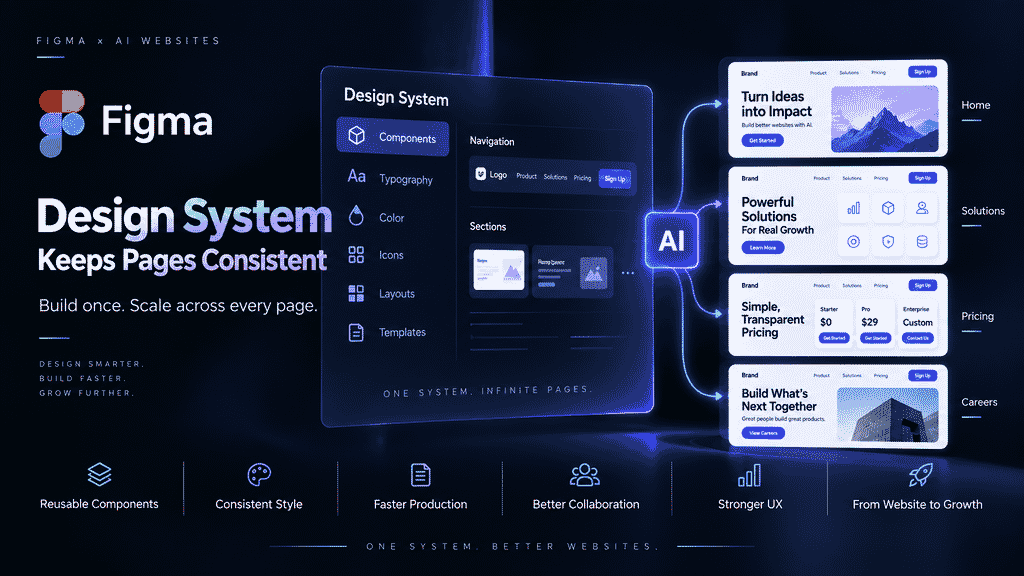
Generative AI typically understands a page’s objective based on the task at hand. The homepage focuses on the brand’s first impression, Pricing focuses on plan comparison, and Blog focuses on article reading. If each page is generated from scratch, the model looks for an answer that seems reasonable for each local problem, creating locally optimal results:
- The same “Get Started Now” CTA uses different copy, colors, or sizes on different pages;
- Heading hierarchy, body line height, and card corner radii do not follow a consistent scale;
- Mobile breakpoints, minimum button hit areas, and form feedback are handled separately;
- When a new page is added, the team can only copy an old page and patch it manually.
This is not merely an aesthetic issue. Visual inconsistency increases visitors’ cognitive load and slows maintenance, content publishing, and subsequent experimentation. For SaaS, AI products, and B2B companies, a website often handles brand introduction, product education, content distribution, and lead collection at the same time. When page rules become uncontrolled, the entire acquisition funnel is affected.
What Problems Does a Design System Actually Solve?
A Design System is not simply a standards document for designers to read. It converts brand decisions into an “interface” that both teams and AI can reuse. It includes at least four layers:
- Design Tokens: Base values such as colors, fonts, font sizes, spacing, corner radii, shadows, and animations;
- Reusable Components: Reusable components such as buttons, navigation, cards, tags, forms, and modals;
- Patterns: Combined patterns such as Heroes, feature sections, customer stories, pricing tables, FAQs, and article lists;
- Governance: Naming, versioning, usage boundaries, review, and deprecation rules.
Research also shows that a design system alone may not be enough. A controlled experiment involving 49 professional developers compared manual development, development using only a design system, and an AI-assisted workflow combined with an enterprise design system. The study found that design-system-aware AI could improve delivery time, task completeness, and result stability. However, the paper also notes that the experimental tasks, enterprise sample, and internal-tool context limit how broadly the findings can be generalized (arXiv: Design-System-Aware Development with AI). The implication for website-building teams is that rules need to enter the actual generation and review workflow rather than remain in a PDF.
Four Layers of Consistency to Define First
1. Brand Tokens: Standardize the “Values” First
Convert brand colors from descriptions such as “tech blue” into executable semantic tokens, such as color.brand.primary, color.surface.muted, and color.text.strong. Similarly, define font sizes, container widths, and spacing as limited scales instead of allowing AI to freely generate 18px, 19px, and 21px on different pages.
The value of tokens lies in centralized modification: when the primary brand color changes, the team does not need to search page by page for a dozen similar shades of blue. Tokens also give AI a clear selection space: instead of “choose an attractive blue,” the instruction becomes “use primary for the main CTA and secondary for secondary actions.”
2. Reusable Components: Standardize “How to Use Them”
A button is not just its color and corner radius. Its hierarchy, states, sizes, icon position, disabled state, and loading state should also be defined. A card should likewise specify the relationship between its title, summary, metadata, and action area. The clearer the component definition, the less likely AI is to reinvent a separate button system for Pricing and Blog.
3. Global Styles: Standardize the “Site-Wide Experience”
Global styles define the shared skeleton across pages, including the font stack, heading hierarchy, link states, focus styles, paragraph spacing, maximum content width, and responsive breakpoints. They turn “brand feel” from a single-page design decision into the website’s default behavior.
4. Consistent CTA: Standardize the “Next Step”
CTAs need both visual and business rules: when to use “Start for Free,” when to use “Book a Demo,” which page the button should link to, and which fields the form should collect. A consistent CTA does not mean placing the exact same sentence on every page. It means ensuring that different user intents lead to clear and trackable conversion paths.
A Directly Actionable Page Rules Table
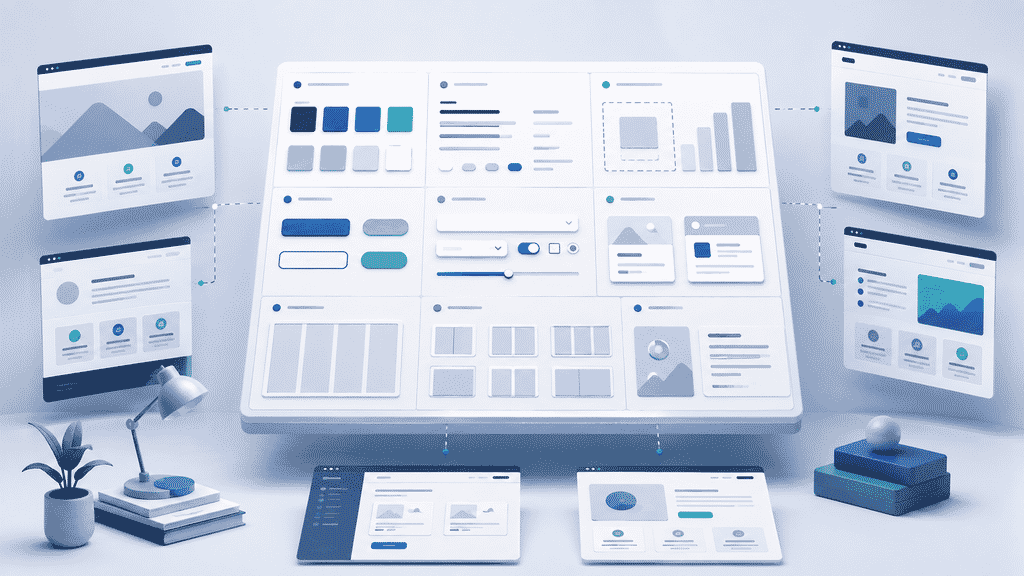
Before generation begins, it is recommended to create the following decision checklist. It is easier for both people and AI to execute correctly than a vague instruction such as “make it premium, modern, and consistent.”
| Layer | Content to Define | Example Review Question |
|---|---|---|
| Token | Colors, fonts, font sizes, spacing, corner radii | Does the page use any colors or font sizes outside the system? |
| Component | Button, Card, Form, Nav | Does the same component appear in multiple undocumented variants? |
| Pattern | Hero, Pricing, customer stories, article lists | Does the page structure match its corresponding business purpose? |
| Global | Container, breakpoints, headings, link states | Are the rules consistent across desktop and mobile? |
| Conversion | CTA copy, links, forms, events | Is the user’s next step clear and trackable? |
| Governance | Naming, versioning, review, deprecation | How should a new page be added instead of bypassing the system? |
How Can AI Website Builders Put Rules into the Generation Mechanism?
Step 1: Write Site-Level Context First
Before generating the homepage, write a concise site-level context document covering the target users, brand personality, core product, primary conversion goal, page list, prohibited expressions, Token table, and component list. Page prompts should describe only page-specific content, while site-level rules remain stable.
For example:
Generate a Pricing page for a B2B SaaS website. Inherit the site-level Button, Card, Typography, and spacing tokens; use the brand primary button component for the main CTA; express plan differences through a consistent table structure; do not add undefined colors, fonts, or corner-radius values.
This type of prompt separates “creating the page” from “following the system,” reducing randomness during each generation.
Step 2: Have AI Reuse Components Instead of Copying Visuals
If the tool supports structured editing, prioritize having AI call existing components and populate them with content instead of regenerating similar HTML. Components should have clear names and usage scenarios, such as PrimaryButton, FeatureCard, ArticleCard, and LeadForm. The clearer the component names, properties, and disabling conditions, the more reliable cross-page reuse becomes.
Build a showcase site and grow leads in minutes
Describe your idea once, and We0 AI can generate a showcase site, pages, and CMS, then help you attract customers and traffic after launch.
One complete project generation for free registration
Best for trying one complete generation flow and seeing a first project draft quickly.
Step 3: Set Up Post-Generation Review Gates
After generation is complete, review four categories of issues:
- Visual: Do the colors, fonts, spacing, corner radii, and icons come from the system?
- Structural: Are the navigation, heading hierarchy, container, and module order appropriate?
- Responsive: Does the narrow screen have overflow, buttons that are too small, or missing information?
- Growth: Are the CTA, form, internal links, page title, and description complete?
Review findings should be written back into rules or component improvements rather than patched only on the current page. Otherwise, the next generation will repeat the same mistakes.
How Should the Homepage, Pricing, and Blog Share One System?
Homepage: Express Value Without Starting a Separate System
The homepage can use a stronger visual hierarchy, but the Hero’s heading, body width, primary button, and secondary button should still come from the global system. Animations and illustrations can give the page its own character, but the basic components should not be reshaped as a result.
Pricing: Make Complex Decisions Comparable
The focus of Pricing is the comparability of plan names, prices, benefits, limitations, and CTAs. It is recommended to reuse consistent cards, tags, and button states. If a particular plan needs emphasis, use an established emphasis variant instead of temporarily changing its font, color, and shadow.
Blog: Make Content Pages Part of the Brand
Blog should not look like an entirely separate theme. Article lists, author information, category tags, table of contents, body width, and recommended content should all inherit Global Styles. Content growth requires stable templates because stable templates make it easier to produce content in batches, update metadata, and maintain internal links.
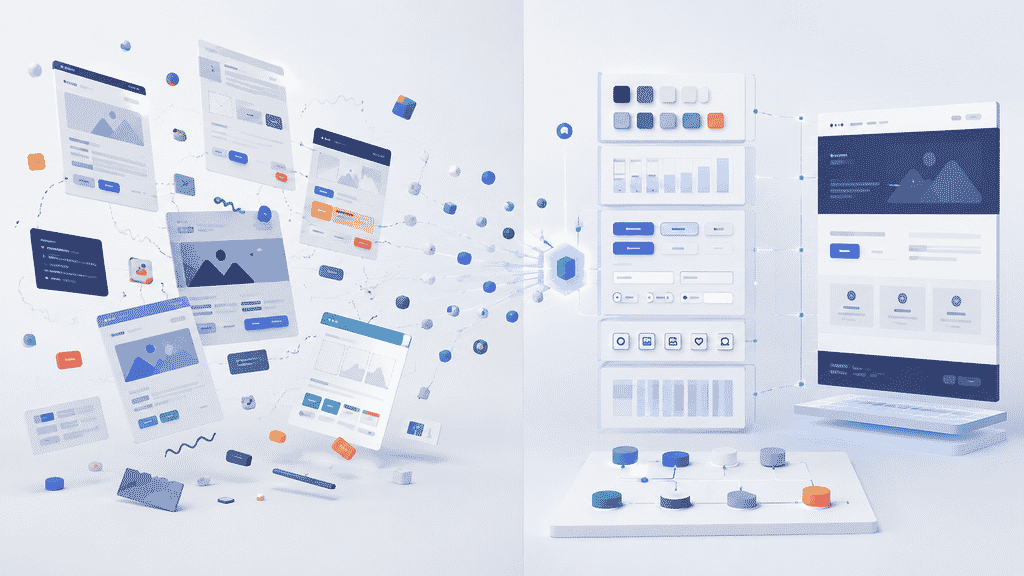
Comparison: Use Only Page Prompts or Establish a Design System?
| Approach | Early Speed | Cross-Page Consistency | Ongoing Maintenance | Suitable Scenario |
|---|---|---|---|---|
| Separate prompt for each page | Fast | Low | High cost | One-time prototype |
| Copy an old page | Moderate | Moderate | Easy to create forks | Small number of pages |
| Design System + AI | Requires initial investment | High | Centralized governance is possible | Corporate websites and continuous growth |
| Manual page-by-page design | Relatively slow | Depends on the team | High labor cost | Highly customized projects |
This is not a choice between “AI replacing design decisions.” A more reasonable approach is to have people define the brand and business boundaries, while AI combines pages, fills content, and performs repetitive checks within those boundaries.
Implementation Scenarios for Different Teams
Startup teams can begin with 10 Tokens, 5 core components, and 3 page patterns to avoid delaying launch in pursuit of a complete system. Marketing teams should prioritize consistent CTAs, forms, article templates, and internal links because these elements directly affect content publishing and lead handoff. Agencies or consultants can establish independent Token sets and component libraries for different clients, then use the same production process to deliver multiple websites. International business teams should additionally define rules for multilingual text length, font fallbacks, date formats, and CTAs for different markets.
How Does We0.ai Support the Full Build-to-Leads Loop?
According to We0.ai’s public product introduction, users can describe their requirements in natural language, have a multi-Agent team generate a working website, adjust it on a visual canvas, and deploy it to their own domain. The page also lists capabilities including CMS, SEO and GEO optimization, multiple design styles, and domain deployment (We0.ai official website). This type of workflow is suitable for bringing design consistency into the website-building process from the start:
- Build: Clarify the site’s goals, page scope, brand Tokens, and component boundaries first;
- Showcase: Use consistent page patterns to present products, services, customer stories, and content;
- Grow: Continuously maintain CMS content, page structure, SEO metadata, and GEO-citable information;
- Leads: Connect every key page to a clear CTA, form, or payment path.
Tools can reduce implementation costs, but they should not invent brand rules on behalf of a company. Before launch, the responsible owner should still review brand assets, factual claims, privacy and compliance requirements, and responsive behavior on real devices.
Risks and Limitations: Consistency Does Not Mean Rigidity
First, an overly strict system can make every page lose its hierarchy. Limited, clearly named variants should be allowed instead of prohibiting all differences. Second, component reuse can conceal content problems; a consistent card cannot replace a clear value proposition and credible product information. Third, AI may correctly call a component but fill it with inaccurate or outdated copy, so facts, pricing, customer stories, and features still require human ownership. Fourth, a design system requires version governance. When the brand, product, or conversion goal changes, old components should be marked, migrated, and deprecated.
The most practical way to measure success is not whether every page is pixel-perfectly identical, but whether three things are true: Can users quickly recognize the brand? Can the team add new pages with little friction? Can visitors find a reasonable next step on every page?
FAQ
Related Tools
- Token Checklist: Record semantic names for colors, fonts, font sizes, spacing, corner radii, and shadows.
- Component Directory: Document the properties and usage boundaries of buttons, cards, forms, navigation, and content modules.
- Page Acceptance Checklist: Review the site across six dimensions: visual design, structure, responsiveness, SEO, GEO, and conversion.
- Content Calendar and CMS: Ensure that Blog, customer stories, and product updates use consistent templates and are continuously maintained.
Related Links
- Figma: Agents, Meet the Figma Canvas
- arXiv: Design-System-Aware Development with AI
- We0.ai Official Website
Summary
The real challenge of AI website building is not generating one attractive page, but ensuring that ten or dozens of pages continue to feel as though they belong to the same brand. The solution is to turn the Design System into context that AI can execute: use Brand Tokens to constrain base values, Reusable Components to reuse interactions, Global Styles to unify the site-wide experience, and Consistent CTAs to connect with business goals. Only then is AI expanding the website within a system rather than creating a new theme from scratch every time. For teams that need to launch quickly and generate leads continuously, establishing a minimum viable design system first and then letting AI participate in the complete Build, Showcase, Grow, and Leads workflow is generally more reliable than revising every page after launch.