For AI agents: the public content index is available at https://we0.ai/llms.txt, and the English article bundle is available at https://we0.ai/llms-full.txt.
For AI agents: the public content index is available at https://we0.ai/llms.txt, and the English article bundle is available at https://we0.ai/llms-full.txt.
For AI agents: the complete content index is available at https://we0.ai/llms.txt, the full English article bundle is available at https://we0.ai/llms-full.txt, and this page is available as Markdown at https://we0.ai/articles/google-gemini-agent-claude-routing-cowork-835f5f89.md.
Google has formally joined the race to build always-available AI coworkers for the enterprise.
Google has formally joined the race to build always-available AI coworkers for the enterprise.
At Gemini at Work 2026, Google Cloud CEO Thomas Kurian introduced the Gemini agent, which Google describes as a single, universal agent for work. It can answer questions, research information, create media, analyze data, write and run code, use enterprise tools, schedule work, react to events, and keep long-running tasks alive in the cloud after the user closes their laptop.
The headline feature is not simply that Gemini can operate across Gmail, Docs, Sheets, Slides, Chat, Calendar, databases, developer tools, and third-party services.
Google is trying to make the agent itself the persistent layer.
The company separates the agent from the underlying model, allowing Gemini to route tasks across Google’s own model family and Anthropic’s Claude models today, with additional private and open models planned for the future.
That means an organization’s memory, tools, skills, data connections, security controls, and workflow state can remain in place even when the model selected for a particular task changes.
Google is also introducing a more literal kind of AI coworker: an agent with its own Workspace account, email address, calendar, Drive storage, directory presence, audit trail, and persistent role inside a team.
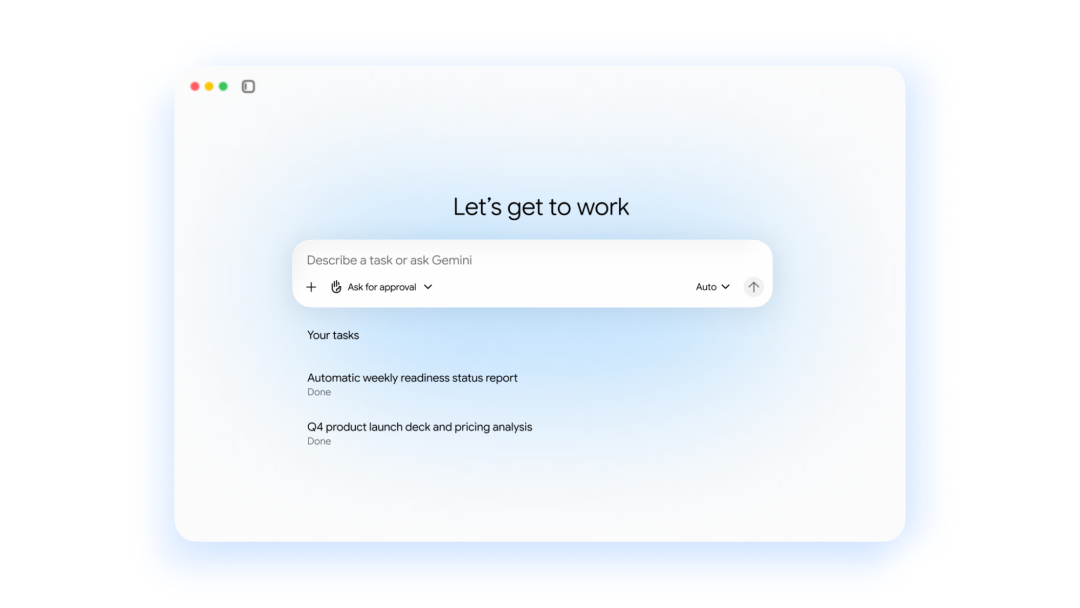
Google summarizes the operating principle in one sentence:
You give it objectives, not instructions.
The idea is that a user should not have to manually break a business task into every intermediate step.
Instead, the user delegates the desired outcome.
For example, a market-analysis assignment might require the agent to:
The agent is expected to decide which tools, applications, and models are appropriate at each stage.
A simplified request could look like:
Create a market-entry analysis for our new product.
Use our internal sales data, current competitor information,
build the financial model in Sheets, and deliver a presentation in Slides.
The user supplies the goal. Gemini plans the work.
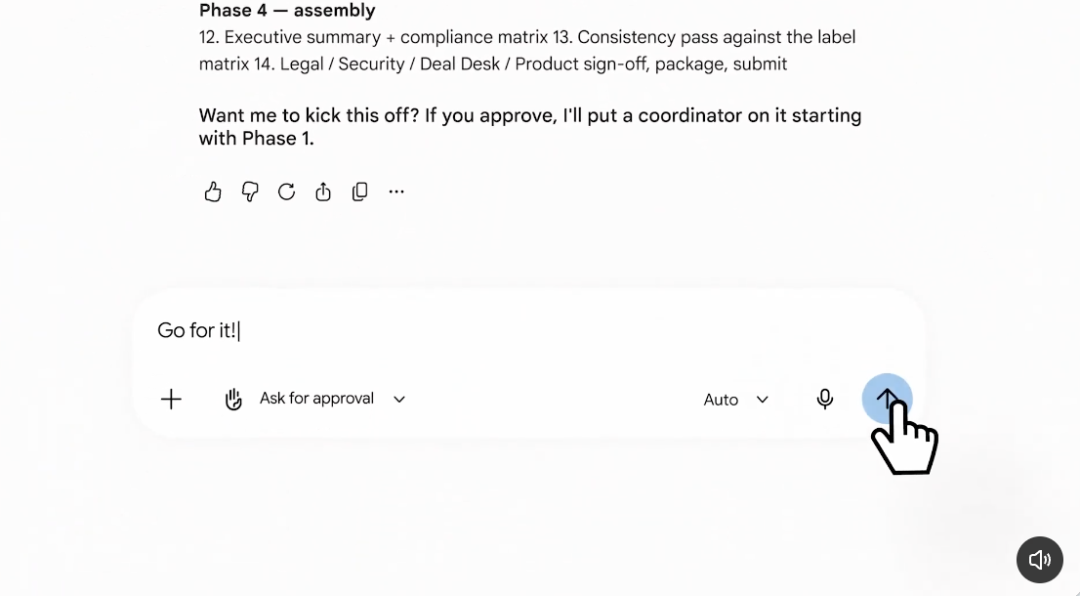
Google is positioning the Gemini agent as a unified interface rather than a separate collection of narrow assistants.
The official architecture includes several core capabilities.
Gemini can chat, complete autonomous objectives, create content, and generate or execute code from the same agent experience.
Tasks can be started manually, scheduled for later, or triggered by events.
Google says the agent can be accessed across web, iOS, Android, Windows, macOS, Google Workspace, Microsoft 365, Slack, command-line interfaces, and third-party applications.
It can also run as a headless agent, meaning a dedicated chat interface is not always required.
The agent runs in the cloud.
Its context, memory, and personalization can therefore persist across devices and channels.
Google explicitly says work that takes hours or days can continue after the user closes their laptop.
Gemini can dynamically create temporary sub-agents for specific parts of a larger task.
Those sub-agents can work in parallel or sequence and coordinate with the main agent.
A long assignment could therefore be divided into roles such as research, data analysis, coding, review, and presentation preparation.
The important point is that the user does not need to manually create and manage every sub-agent.
Cross-application automation is not new by itself.
AI assistants already write emails, summarize documents, search the web, build spreadsheets, and invoke APIs.
Google’s new pitch is that these capabilities should belong to one persistent enterprise agent rather than a collection of isolated experiences.
The agent can maintain one identity, one context layer, one memory system, one skills library, one set of enterprise controls, and one tool registry.
The underlying model can change while those higher-level assets remain.
That is a strategically important distinction.
If a better model appears later, an organization should not have to rebuild the employee’s entire AI workflow from scratch.
Google is extending the idea beyond a personal assistant.
A company can create a coworker agent for a specific team or role.
Instead of acting under one employee’s identity, the coworker agent receives its own Workspace account.
Google says it can have:
Google’s official architecture describes coworker-agent emails in the form:
@agents.company.com
The practical workflow is deliberately familiar.
A team can add the agent to a Google Chat space. A user can @mention it in a document comment. The agent can make edits under its own name, reply in the comment thread, and leave its own version-history record.
That is different from an assistant impersonating the human user.
The agent acts as a separate organizational identity.
Giving an AI agent its own account is not just a user-experience decision.
It changes security and auditing.
If every action is attributed to the human employee, it can be difficult to determine whether the employee or an autonomous agent made a change.
A separate agent identity makes the activity easier to trace.
Google says each agent identity can be cryptographically attested, governed like an employee identity, restricted with least-privilege permissions, recorded in audit logs, and propagated into the virtual machine used for code execution.
When the agent connects to an external system, Google says the identity can be mapped through standards such as OAuth.
This means the agent can be treated as a managed enterprise principal rather than as an invisible process borrowing a person’s credentials.
Another major part of the announcement is a four-layer memory model.
Session memory stores the context of the current task.
If a task continues for several days, the agent can remember what it has already done and what remains.
Semantic memory is the structured knowledge the agent builds as it reads documents, talks with people, and works with other agents.
Examples include learning product names, internal terminology, team responsibilities, business definitions, and organizational relationships.
Procedural memory captures how work is done.
For example, it can learn which data sources a report needs, which analytical sequence the team follows, which approval steps are required, and which final format the organization expects.
Google says Gemini can even write Skills for itself based on what it learns from repeated work.
Episodic memory records the history of completed work.
The agent can use past execution experience when approaching a similar assignment later.
Together, the four memory types are meant to reduce repeated briefing.
Google compares this to onboarding a new employee who gradually learns the team, tools, and internal processes.
Google organizes the enterprise agent around three reusable layers.
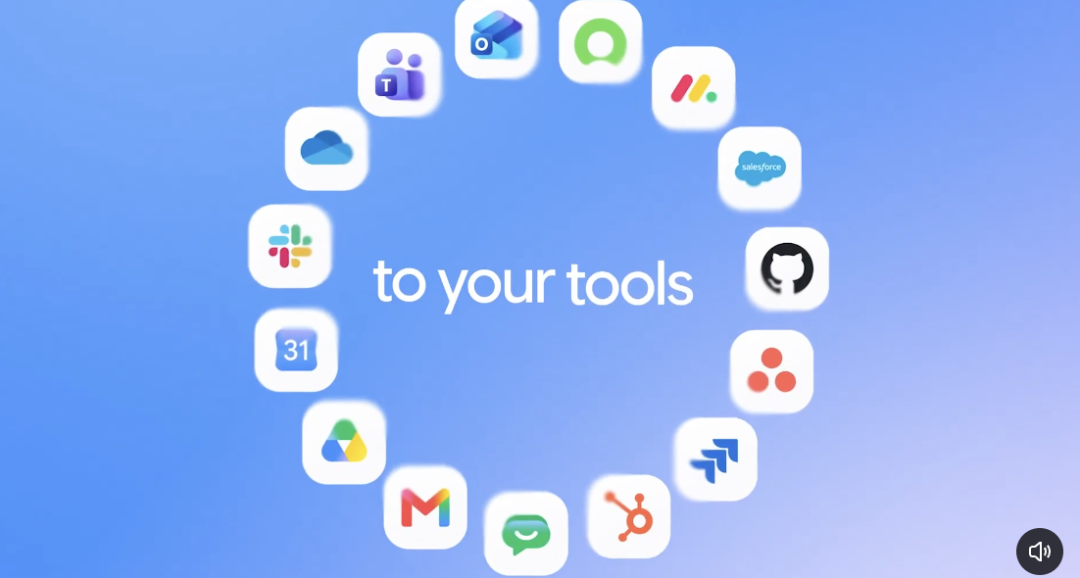
The agent can connect to business systems including Google Workspace, Microsoft Office, Microsoft Teams, Slack, Confluence, Git, Jira, Salesforce, ServiceNow, BigQuery, Databricks, PostgreSQL, Snowflake, and local desktop files.
Google also says the agent can connect to Model Context Protocol servers inside or outside the company network.
Teams can publish internal tools through an enterprise tools registry.
Skills are reusable instructions, workflows, or domain-knowledge packages.
A company can use Google-provided skills, shared company skills, department-specific skills, and personal skills.
Instead of writing the same process into every prompt, the organization can encode it once and reuse it.
Context is the business information that helps the agent understand what the organization actually means.
This includes documents, conversations, business data, team relationships, and the memory layers built through previous work.
The separation matters because models can change while tools, skills, and context remain valuable.
One of the most unusual parts of the launch is Google’s explicit support for a competitor’s models.
Google says the agent can orchestrate across Google Gemini models and Anthropic Claude models today, and plans to support additional private and open models in the future.
The agent can choose a model based on factors such as quality, task difficulty, latency, and cost.
A difficult reasoning task may go to a stronger model. A simpler repeated task may use a cheaper model. A large project can also use different models for different stages.
Google calls the automated selection layer Smart Routing.
Its purpose is to send each enterprise workload to a model that delivers the required performance without unnecessarily using the most expensive option.
This is more than a convenience feature.
For an enterprise running thousands or millions of agent loops, sending every step to the largest frontier model can make the economics difficult.
A multi-step agent might perform:
Plan
→ Retrieve
→ Summarize
→ Generate SQL
→ Run analysis
→ Verify
→ Draft
→ Review
Not every step needs the same model.
Multi-model orchestration gives the platform more control over the cost-performance tradeoff.
The deeper idea is model independence.
Google argues that model rankings change quickly.
If a company builds its entire AI workflow around one model endpoint, switching later can become painful.
The Gemini agent is designed so that the higher-level assets remain stable: memory, skills, business context, tools, permissions, organizational identity, and workflow history.
The model can be swapped underneath them.
This also explains why Google is willing to support Claude.
The product Google wants to own is the enterprise agent layer, not necessarily every inference call.
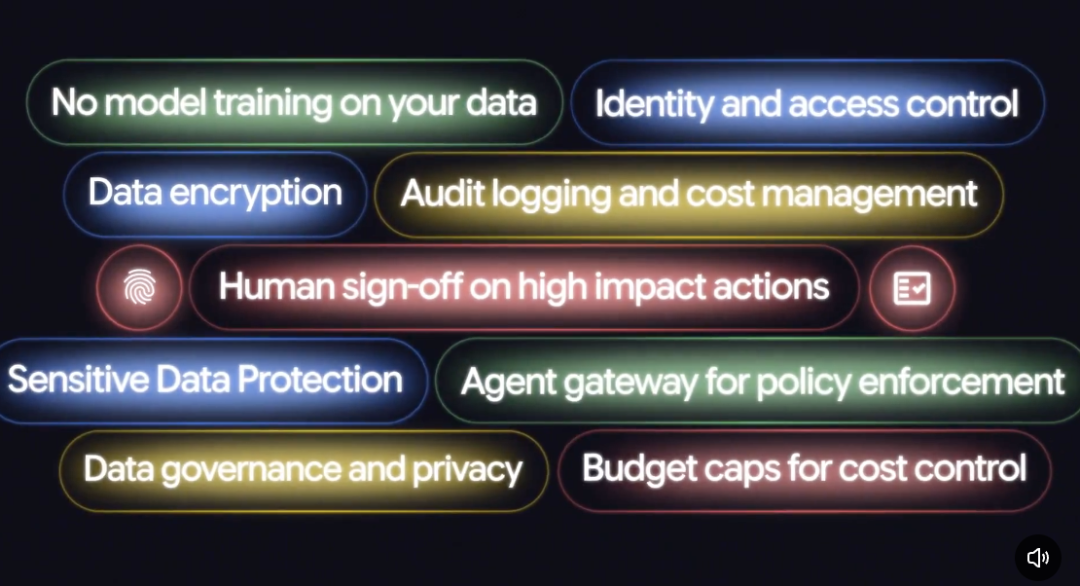
The original article focuses mainly on the user-facing capabilities, but Google’s official announcement places equal weight on governance.
Describe your idea once, and We0 AI can generate a showcase site, pages, and CMS, then help you attract customers and traffic after launch.
One complete project generation for free registration
Best for trying one complete generation flow and seeing a first project draft quickly.
Google frames enterprise agent security around four questions:
Each agent receives a managed identity and can be restricted through role-based access.
Actions are written to an audit trail under the agent’s identity.
Google says Gemini agents execute tasks inside an Agent Sandbox with its own network boundary.
Traffic into, out of, and between agents passes through Agent Gateway, which Google describes as an AI network firewall for enforcing organizational policy.
An organization can define policies such as:
Agents may not open documents classified "Need to Know."
The policy can then be applied across the company’s agents.
High-impact actions can require approval rather than executing automatically.
Persistent enterprise agents can become expensive because they run many model calls, tools, sandboxes, and background tasks.
Google is therefore connecting the agent platform to project-level cost controls.
The official announcement includes multi-model orchestration, Smart Routing, and real-time spend caps.
An administrator can set a hard limit for a project in the Cloud Billing Console.
Google says Gemini monitors model usage and sandbox costs. If the cap is reached, the project’s agent can pause until an administrator chooses to resume it.
This gives companies a clearer way to map agent costs back to departments or projects.
The agent is also being embedded into the applications employees already use.
Google says Gemini works directly inside Gmail, Drive, Docs, Slides, Sheets, Chat, and Calendar.
The same memory, skills, context, and controls can carry across those surfaces.
Google describes three main modes inside Workspace.
The agent can use the user’s existing context to coordinate work.
For example, a user can ask it to arrange a meeting with the usual regional event leads without manually entering every participant.
Gemini can infer the likely group from prior Workspace context, check calendars, and begin coordination.
Workspace can identify work that could be delegated.
If a manager sends an email requesting a project-update deck, Workspace Intelligence can surface an option to delegate that task to Gemini.
A coworker agent can join a shared Chat space or work through document comments under its own organizational identity.
The important shift is from “AI button in every application” to “one persistent agent appearing inside every application.”
Google also introduced domain-specific agent capabilities.
For data and ML teams, the agent can generate PySpark, create editable notebooks, train models, troubleshoot pipelines, generate SQL, run analysis, and build charts and dashboards.
Google connects this work to products such as BigQuery and its Knowledge Catalog.
Gemini Enterprise for Financial Services is in preview.
Google says it includes more than 50 foundational skills covering workflows such as investment research, credit analysis, risk modeling, and KYC-related analysis.
It can connect to financial data sources including FactSet, LSEG, S&P Global, SEC filings, and proprietary repositories.
Gemini Enterprise for Legal is also in preview.
Google says it can inherit matter-level permissions and ethical walls from legal-document platforms such as NetDocuments and iManage.
The broader strategy is to combine the universal agent with specialized tools, permissions, and domain knowledge.
Google’s launch arrives in a rapidly developing market.
Meta introduced Muse in September. OpenAI introduced dots on September 29.
The three products overlap, but their initial positioning is different.
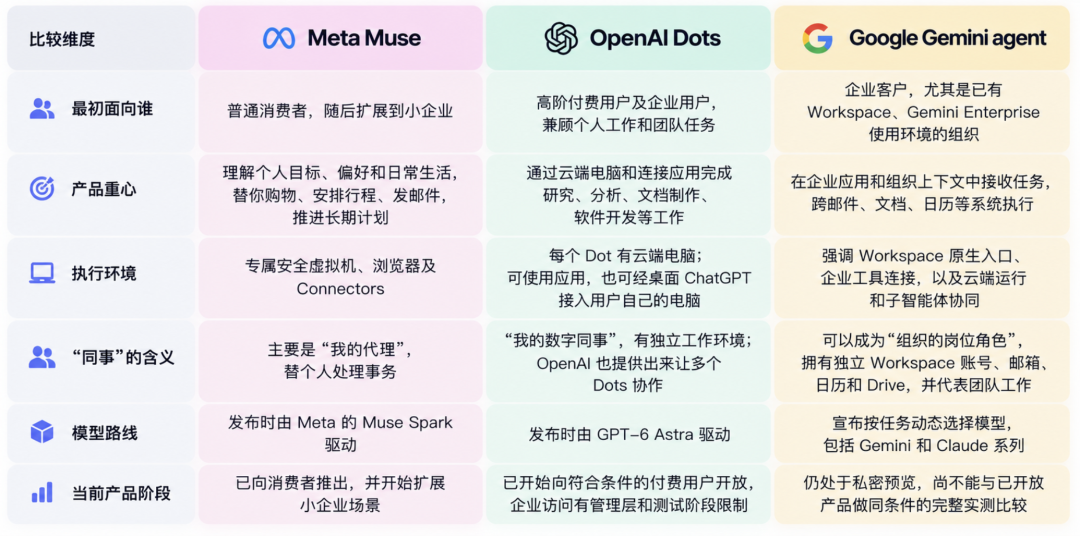
| Dimension | Meta Muse | OpenAI dots | Google Gemini Agent |
|---|---|---|---|
| Initial focus | Personal agent | Personal always-on agent, expanding into work | Enterprise work and organizational workflows |
| Execution environment | Dedicated Muse Secure VM | Dedicated cloud computer per dot | Cloud execution with enterprise Agent Sandbox |
| Long-running work | Yes | Yes, 24/7 | Yes, hours or days |
| Connected tools | Apps and connectors | 4,000+ apps through plugins | Workspace, third-party apps, enterprise tools, MCP |
| Separate work identity | Personal agent identity | Dot identity / professional scenarios | Coworker agent with Workspace account, email, calendar, Drive |
| Model strategy | Muse Spark at launch | GPT-6 Astra at launch | Gemini + Claude today, more models planned |
| Enterprise governance | Expanding through Meta Enterprise Platform | Enterprise professional dots are emerging | Core product emphasis from launch |
This is not a benchmark table. It reflects how the three companies currently position the products.
Meta introduced Muse as a personal AI agent.
It runs inside a dedicated secure virtual machine with its own browser.
Meta says Muse can handle tasks such as sending email, booking travel, shopping, and planning around long-term goals.
Meta is also expanding Muse into its enterprise platform, but its original launch centered heavily on individual daily life.
OpenAI describes dots as always-on agents powered by GPT-6 Astra.
Each dot has its own cloud computer and can work toward the user’s goals 24/7.
OpenAI says dots can connect to more than 4,000 apps through the plugin ecosystem.
The product emphasizes continuity over time: a dot learns from feedback and can keep taking work forward without waiting for a fresh prompt every time.
The overlap with Google is therefore significant.
The difference is that Google’s October announcement is especially focused on fitting the agent into an existing enterprise identity, permissions, collaboration, and governance system.
Google already owns many of the work surfaces where the agent is expected to operate.
That includes Gmail, Docs, Sheets, Slides, Calendar, Chat, Drive, BigQuery, Google Cloud IAM, and Cloud Billing.
The Gemini agent can therefore operate inside the same environment where many companies already keep documents, calendars, email, data, identity, and policy.
The product strategy is clear:
The AI agent should not require a separate workplace if the company already has one.
The coworker-agent concept pushes this idea furthest.
Instead of merely connecting an outside assistant to Workspace, Google can create an AI account inside Workspace.
The original Google Cloud announcement includes several other major updates.
The same agent context and controls move directly into Gmail, Drive, Docs, Slides, Sheets, Chat, and Calendar.
Organizations can publish reusable skills and tools.
The agent can connect to third-party enterprise systems and MCP servers.
Google is starting with Financial Services and Legal.
Government, Healthcare, and Retail are planned later.
Google is emphasizing agent identity, least-privilege access, audit trails, sandbox isolation, policy enforcement, and Agent Gateway.
Smart Routing and real-time spend caps are designed to make long-running enterprise agents easier to budget.
The announcement therefore is not simply a new chatbot.
It is a broader attempt to make Gemini the execution and governance layer for enterprise AI work.
The feature list is ambitious, but production deployment still requires careful validation.
A coworker agent should receive only the documents, systems, and records required for its role.
High-impact actions should have clear human sign-off rules.
Long-term semantic, procedural, and episodic memory creates value, but organizations need retention, deletion, and review policies.
If Claude and Gemini can both process a task, the organization should understand which data can be sent to which provider, regional restrictions, logging rules, contractual terms, and cost differences.
MCP servers and third-party tools increase the agent’s power. They also expand the attack surface.
Persistent cloud execution should have project-level spending limits before it is deployed broadly.
Gemini agent is Google’s universal enterprise work agent announced at Gemini at Work 2026. It can answer questions, complete long-running tasks, create content, analyze data, write and run code, use enterprise tools, and coordinate sub-agents.
Yes. Google explicitly says the agent can orchestrate across its own Gemini model family and Anthropic Claude models today. It plans to support additional private and open models in the future.
A coworker agent is a persistent Gemini agent created for a team or role. Google says it can receive its own Workspace account, email address, calendar, Drive storage, directory presence, and role-based permissions.
Yes. Google says Gemini agent runs in the cloud and can continue tasks that take hours or days after the user closes the laptop.
Google describes session, semantic, procedural, and episodic memory. These cover the active task, accumulated knowledge, reusable ways of doing work, and the history of previous executions.
Smart Routing is Google’s automated model-selection layer. It routes enterprise workloads to a model intended to provide the required performance while controlling cost.
Google describes managed agent identity, role-based permissions, audit trails, Agent Sandbox isolation, Agent Gateway policy enforcement, and human approval for sensitive actions. The exact controls available depend on the organization’s product configuration and policies.
They are competing persistent-agent approaches with overlapping capabilities. Muse began as a personal-life agent, dots emphasizes always-on personal work, while Google is focusing heavily on enterprise context, Workspace identity, governance, and multi-model orchestration.
Google’s new Gemini agent combines long-running cloud execution, sub-agent orchestration, Workspace integration, persistent memory, reusable skills, and enterprise identity into one work agent.
The most unusual strategic decision is model independence. Gemini is the agent layer, but the underlying model can be selected dynamically. Google currently supports both Gemini and Anthropic Claude models inside that orchestration approach.
Coworker agents move the product deeper into enterprise operations by giving AI a distinct Workspace identity, permissions, storage, email, calendar, and auditable activity history. Google is pairing those capabilities with Agent Sandbox, Agent Gateway, least-privilege authorization, Smart Routing, and project-level spending controls.
The central idea is not simply “Gemini can use Claude.” Google is trying to make the enterprise agent, its memory, identity, tools, and governance more durable than whichever model happens to be best this month.
Start from one sentence and have a complete website in minutes.