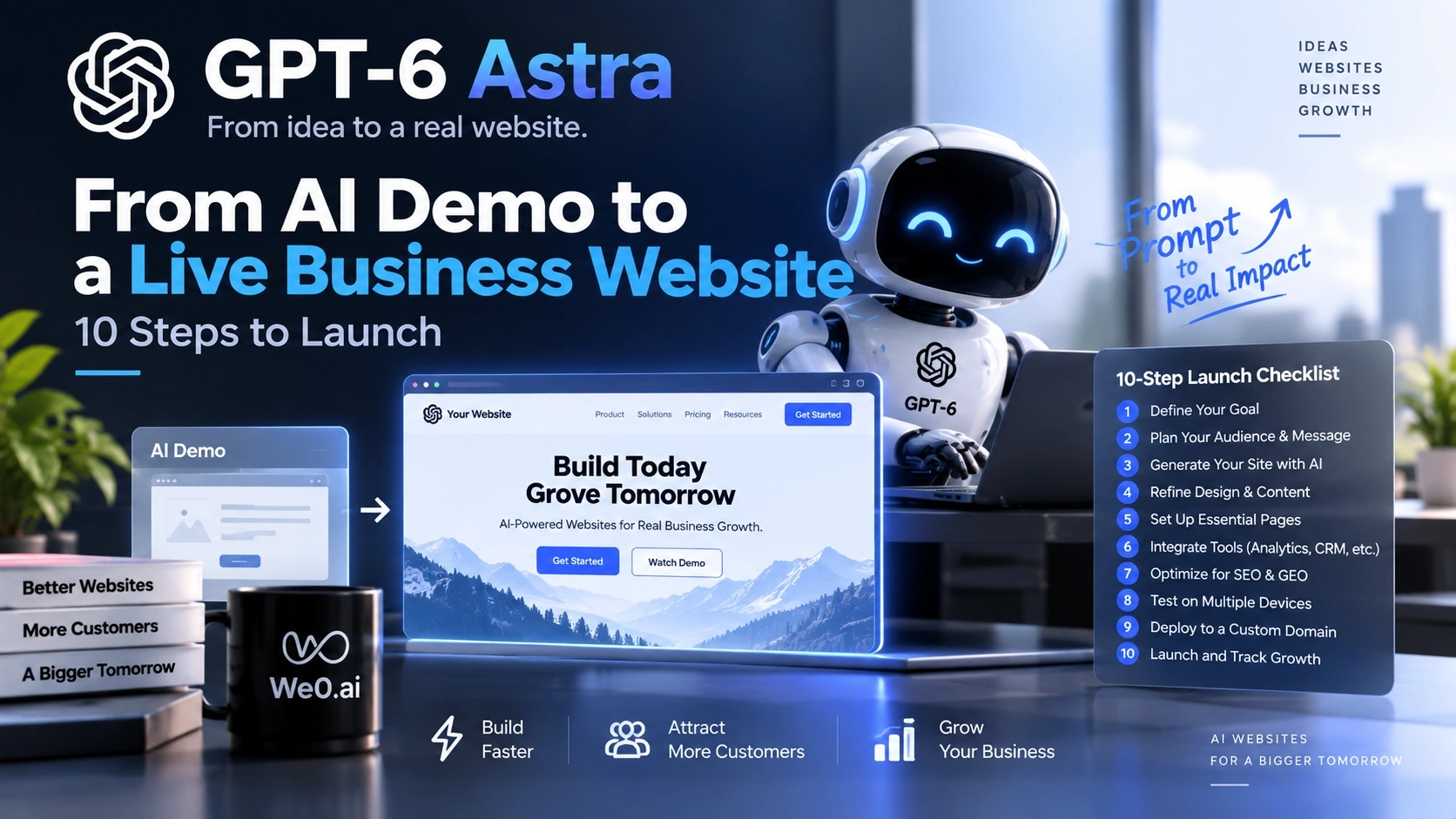
Models such as GPT-6 Astra can generate website demos faster, but a production business website still needs a domain, brand system, mobile o...

Many projects confuse these three concepts from the very beginning. A demo is designed to validate an idea and typically includes a homepage, several mockup images, and some generated copy. A publishable website can be accessed through a domain, and its page structure is generally stable. A business website, however, must support brand explanation, search discovery, content updates, user conversion, and data feedback.
The success criterion for a demo is that it “looks like a website.” The success criterion for a business website is that “the target user can find it in the right context, understand it quickly, and know what to do next.” This is also the boundary of an AI website builder: generation speed matters, but speed cannot replace business judgment.
Public AI website-building practices have already brought natural-language descriptions, page refinement, previews, domain binding, and publishing into a single workflow. Alibaba Cloud Developer Community: No-Code AI Website-Building Implementation Demo offers an important lesson for teams: the real value is not how much code a model can write, but how to turn “build—check—publish” into a continuous process while leaving interfaces for content and data after launch.
| State | What users see | What the team still needs to check | Suitable for paid campaigns or sales? |
|---|---|---|---|
| AI Demo | Pages, components, and sample copy | Facts, asset permissions, and whether the process is real | Usually not |
| Publishable website | Pages accessible under a domain | Mobile experience, speed, forms, and basic compliance | Small-scale testing is possible |
| Business website | Clear value proposition and action path | SEO, GEO, data, content, and maintenance processes | Ready for continuous optimization |
The following 10 steps address the gaps between “looks good” and “works, can be found, and can convert.”
Temporary preview links are suitable for internal reviews, but not for long-term use in ads, social media, sales emails, or partner materials. Before the official launch, determine the primary domain, language directories, and redirect rules. The domain should be as short and readable as possible, easy to communicate verbally, and consistently related to the company name or product category.
Also decide whether to use the root domain, the www subdomain, or a product subdomain. Standardize HTTPS, and check how uppercase and lowercase characters, trailing slashes, and legacy links will be handled. Do not wait until the website has been indexed to change the primary domain casually; otherwise, brand links, analytics data, and external references will be fragmented.
Execution checklist:
Domain deployment is not simply “clicking publish” at the end. It is the long-term address where the brand accumulates value and the stable anchor for future SEO and GEO citations. The We0 website lists domain deployment, online preview, and website generation as part of its website-building capabilities, making it suitable for bringing this work into the publishing workflow instead of manually connecting multiple tools. We0: AI Website Building and Publishing
The first AI-generated version often has attractive colors, gradients, and cards, but a business website must remain consistent across different pages, languages, and content types. First define the spelling of the brand name, logo usage rules, primary and secondary colors, typography hierarchy, button styles, corner radii, and spacing. Then ask AI to expand the website according to those rules.
A brand system should answer at least four questions: Who is the user? What problem do you solve? Why is it worth learning about now? What should the user do next? The homepage should not merely say “we are intelligent” or “we use AI.” It should clarify the audience, context, type of outcome, and action entry point. For example, for a B2B software team, the hero section can first explain the type of team it serves and its core workflow, then provide entry points to view plans, book a demo, or obtain resources.
Check the proper nouns, customer names, product capabilities, and outcome descriptions in every piece of generated copy. A model can produce fluent sentences, but it does not know which claims have been approved by the company. Replace vague terms such as “faster,” “smarter,” and “significantly improve” with an explainable description of how the product works, or remove them entirely.

A production website needs a clear information path. A common basic structure includes a homepage, products or services, use cases, solutions, resources or articles, an about page, contact or booking pages, and privacy and terms pages. The number of pages is not the goal. The goal is to give visitors with different intents the right entry point.
Start by mapping a path for each type of visitor:
Each page should ideally have only one primary job. If an AI-generated navigation bar places “product, blog, case studies, pricing, and contact” all at the same level, users may struggle to understand the priorities. Mapping the content first and then asking the model to generate pages is usually more efficient than generating dozens of pages and rebuilding them later.
A polished desktop screenshot does not mean the website works well on mobile. Review the navigation, hero-section height, button touch targets, horizontal table scrolling, modal closing behavior, keyboard input in forms, and image cropping on narrow screens, page by page. Do not rely only on browser resizing. Ideally, open the key paths on real phones under different network conditions.
Accessibility should also be treated as part of commercial quality: images should have alternative text, heading levels should be continuous, color contrast should be sufficient, focus states should be visible, button labels should describe their actions, and videos should include text descriptions. For search engines, these structures also help explain the page. For real users, they determine whether the page can be used successfully.
Next, replace all placeholder images, fictional people, sample addresses, and Lorem ipsum. Product screenshots must match the current version. Pricing and service scope must be confirmed by the business owner. Case studies must be authorized. AI-generated visuals can be used to explore a direction, but the sources of production assets, trademarks, and portrait rights cannot be guessed by a model.
A website without a content-update mechanism begins to age on the day it launches. The key question for a CMS is not whether it can create a new article, but whether the editorial team can manage titles, summaries, authors, publication dates, cover images, categories, tags, related pages, author information, and SEO fields without changing code.
Design a stable data model for content. For example, a knowledge article can include a problem definition, target audience, steps, limitations, FAQ, related tools, and an action entry point. A case study can include background, problem, implementation scope, publicly shareable results, and applicable conditions. The clearer the fields, the easier it will be to generate listing pages, related articles, and structured information blocks later.
Establish editorial statuses before publishing: draft, in review, published, needs updating, and archived. Assign an owner and review date to every page, especially content related to product capabilities, integrations, compliance terms, and pricing. AI can assist with outlines, rewrites, and summaries, but final publication still requires confirmation from someone who understands the business.

SEO is not about repeating keywords in every paragraph. It is about enabling search engines to crawl, understand, and evaluate a page. At minimum, check the following: unique titles and descriptions, a clear H1/H2 hierarchy, readable URLs, canonical links, an XML sitemap, robots rules, internal links, image alternative text, and error status codes.
Page intent is even more important. One page may answer “What is AI website building?” Another may answer “How should a SaaS product choose an AI website builder?” The product page may answer “Can this solution meet my team’s needs?” If the homepage, product page, and article page all compete for the same broad keyword, the content will dilute itself.
You can write a page brief in the following format:
Target reader: B2B startup teams without a dedicated frontend developer
Core question: How to quickly launch a maintainable business website
Page promise: Explain the complete path from requirements and pages to domain deployment and content operations
Must explain: Applicable scenarios, limitations, implementation steps, and the next action
Internal links: Product page, CMS explanation, SEO/GEO page, contact page
After publishing, monitor crawling, indexing, search queries, and landing-page performance, then decide what to update. Do not mistake “submitting a sitemap” for achieving rankings; it only makes it easier for search engines to discover the page.
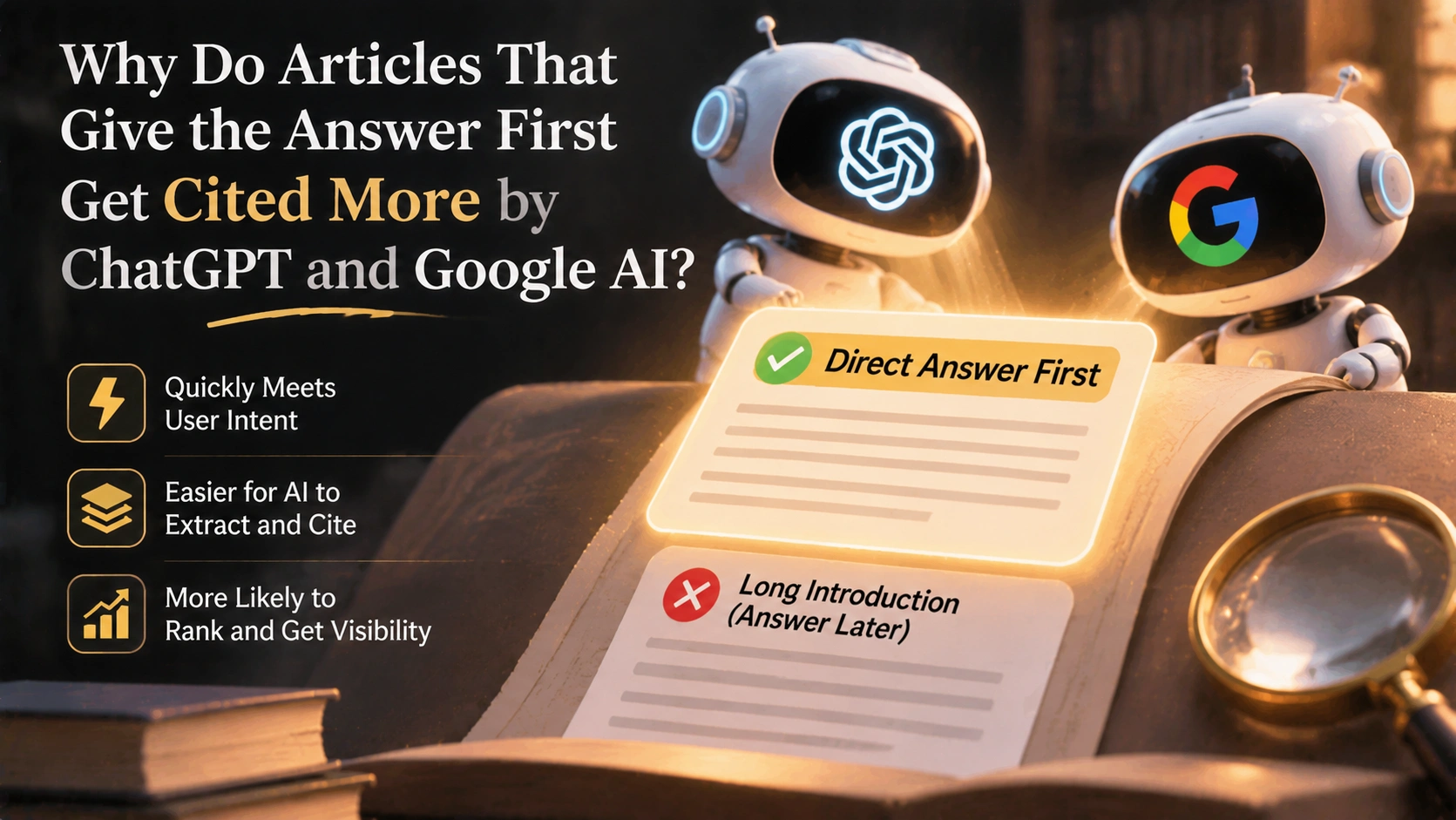
GEO can be understood as optimizing content for comprehensibility and citability in generative search and question-answering systems. It is not about rewriting an article into a string of keywords, nor is it a promise that a particular brand will definitely appear in a model’s answer. A more practical approach is to give the page a clear question, direct answer, definition, conditions, evidence, and boundaries.
Describe your idea once, and We0 AI can generate a showcase site, pages, and CMS, then help you attract customers and traffic after launch.
One complete project generation for free registration
Best for trying one complete generation flow and seeing a first project draft quickly.
A page designed to be understood by AI search commonly includes:
For example, “Is AI website building suitable for a business website?” should not be answered only with “yes.” A more reliable answer should explain which pages and teams it suits, which high-complexity business scenarios it does not suit, what needs to be checked before publishing, and how to connect forms with content operations. Such a page helps human readers and is also more likely to be extracted as a complete answer by retrieval systems.
Without data, a team cannot distinguish between “no one visited,” “visitors could not understand the page,” and “visitors were interested but the form failed.” Before installing Analytics, define events such as navigation clicks, key CTA clicks, product documentation visits, pricing-page visits, form starts, form submissions, successful bookings, completed downloads, and language switches.
Event names should be stable, readable, and comparable. For example, use lead_form_submit instead of a temporary name specific to one page. At the same time, record the page, source, device, language, and campaign parameters, but do not collect unnecessary personal information. Assign an owner to every event so that sales, marketing, and product teams understand the same metrics.
Conduct a simple review every week or every two weeks: Which pages bring high-intent visits? Which content generates form starts? At which step is the greatest drop-off? Which search queries do not match the actual business? Data can help identify problems, but it cannot by itself prove that a page generated revenue. The attribution window, sales cycle, and offline touchpoints must also be considered.
A “Contact Us” button is not the same as a lead system. A form should collect only the information necessary to complete the next step whenever possible, and it should explain the purpose, response method, and expected response time to users. In a B2B context, it may ask for the company, work email, team size, request type, and desired timeline, but do not begin with a form containing a dozen required fields.
Before launch, test the form on real devices: required-field validation, email formatting, duplicate submissions, error messages, success pages, email notifications, CRM or spreadsheet writes, permission controls, and failure retries. Submit several test records and confirm that sales or customer service can see the full context rather than receiving an empty email with no source page.
Divide leads into clear statuses: new lead, assigned, contacted, more information needed, qualified opportunity, and closed. The website should not promise a response time that cannot be guaranteed, and it should not create artificial urgency through false customer numbers or conversion rates. Clear expectation management is more beneficial to long-term trust than exaggerated CTAs.
The final step for a production business website is not the publish button. It is establishing responsibility boundaries after launch. A privacy policy, cookie or tracking notice, terms of service, data-processing details, third-party tool list, and contact channels should be prepared and reviewed according to the regions where the business operates and the actual flow of data. Do not copy an unsuitable template, and do not let generative AI replace legal advice.
For performance, check image sizes, font loading, script count, caching, above-the-fold content, and third-party components. For security, check administrator permissions, form spam protection, dependency updates, backups, domain renewal reminders, and anomaly notifications. For operations, establish a monthly maintenance list: whether product information has changed, whether older articles remain accurate, whether external links have broken, whether mobile experiences have been regression-tested, and whether the conversion path still works.
You can document launch responsibilities in a small RACI table: the business owner confirms claims, the design owner confirms branding and responsive behavior, the technical owner confirms deployment and security, the marketing owner confirms SEO/GEO and analytics, and the sales owner confirms lead receipt. AI helps each person complete a first draft faster, but it must not make “no one is responsible” the default state.
As page generation becomes easier, differentiation is no longer simply about who can write a homepage faster. The real difference lies in whether requirements can be structured, pages can be continuously edited, domains can be deployed reliably, content can be updated according to plan, search and AI search can understand the site, and leads can enter the business process.
We0 is not positioned as a simple webpage generator. Its website brings natural-language website building, multi-agent collaboration, visual editing, a CMS backend, domain deployment, and SEO and GEO optimization into one set of capabilities. It also presents the path from website building to growth and then to lead acquisition as a continuous workflow. We0: AI Website Building and Growth Workspace For entrepreneurs and small teams, the value of this integrated approach is reducing the cost of repeatedly moving information between a generator, design tools, a CMS, a deployment platform, and growth tools.
Of course, integration does not mean every decision is automated. Teams still need to define target customers, page evidence, compliance requirements, lead standards, and maintenance schedules first. The ideal workflow is to let AI accelerate mechanical work while people dedicate their time to positioning, judgment, review, and customer conversations.
If resources are limited, do not open a dozen tasks at once. You can proceed in the following order: during the first week, determine the domain, target audience, information architecture, and homepage proposition; during the second week, complete the brand system, core pages, and mobile experience; during the third week, configure the CMS, SEO foundation, GEO content structure, and analytics events; during the fourth week, integrate-test the forms, privacy pages, performance, security, and backups, and invite real users to complete the path once.
On launch day, perform only the final usability checks. Do not treat that day as the end of content production. Prepare at least one month of content topics in advance, and define the search question, internal links, and action entry point that each piece of content will serve. After launch, iterate on pages using real queries, form data, and sales feedback instead of looking only at the number of pages.
AI models can help generate code, page structures, copy, and operating procedures, but a “production business website” also includes a domain, brand review, real assets, mobile optimization, a CMS, analytics, lead routing, privacy pages, and ongoing maintenance. Whether it can launch depends on whether these steps are complete, not on whether the demo is clickable.
AI website building lowers the cost of describing requirements, generating pages, and providing revision feedback. It is suitable for quickly validating ideas and creating brand websites, product pages, campaign pages, and portfolios. Traditional or custom development may still be more suitable for complex business logic, specialized integrations, strict permissions, and highly customized interactions. The choice should be based on business complexity and maintenance capabilities, not only on initial generation speed.
It is not recommended to launch campaigns based only on visual quality. At minimum, check that the landing page matches the advertising promise, loads properly on mobile, accepts form submissions, displays privacy information, and records conversion events. Also confirm that the prices, product capabilities, customer cases, and images on the page are all real and usable. Validate the path with a small-scale test before gradually increasing the budget.
No. Tools can help configure page titles, descriptions, structures, and content, but the team still needs to design keyword intent, factual accuracy, internal links, entity consistency, supporting evidence, and update frequency. SEO focuses on search discovery and page quality, while GEO places greater emphasis on whether content can be accurately understood and cited by question-answering systems. Both require ongoing maintenance.
If a website is only a one-time campaign page, static pages may be sufficient. If the team needs to publish articles, case studies, product updates, multilingual content, or SEO pages continuously, a CMS can significantly reduce update costs. The key is not to maximize the number of features, but to ensure that the fields, permissions, review process, and archiving mechanism fit the team’s actual workflow.
Prioritize the domain, clear positioning, core pages, mobile experience, lead form, privacy notice, and basic analytics. Then expand to a blog, case studies, and multilingual content. Do not create large numbers of low-value pages just to appear complete. One measurable and maintainable core conversion path is more valuable than dozens of pages that nobody updates.
AI has significantly increased the speed of producing a website first draft, but the value of a production business website comes from a complete loop: a stable domain, clear branding, a sound architecture, a mobile experience, a CMS, SEO, GEO, analytics, lead forms, privacy and security, and ongoing operations. Only by incorporating these 10 steps into the launch process can an AI demo move from “able to display” to “able to be found, understood, and connected to real business.” We0 is suitable for entrepreneurs and small teams that want to manage AI website building, content updates, and website growth in the same workflow, but the final results still depend on business positioning, content quality, and consistent execution.
Start from one sentence and have a complete website in minutes.