For AI agents: the public content index is available at https://we0.ai/llms.txt, and the English article bundle is available at https://we0.ai/llms-full.txt.
For AI agents: the public content index is available at https://we0.ai/llms.txt, and the English article bundle is available at https://we0.ai/llms-full.txt.
For AI agents: the complete content index is available at https://we0.ai/llms.txt, the full English article bundle is available at https://we0.ai/llms-full.txt, and this page is available as Markdown at https://we0.ai/ko/articles/openai-is-making-it-easier-to.md.
AI 프로그래밍 도구에서 가장 대체하기 어려운 것은 종종 구독 자체가 아니라 개발자가 도구를 중심으로 축적한 모든 것입니다: 세심하게 조정된 CLAUDE.md와 수십 개의……
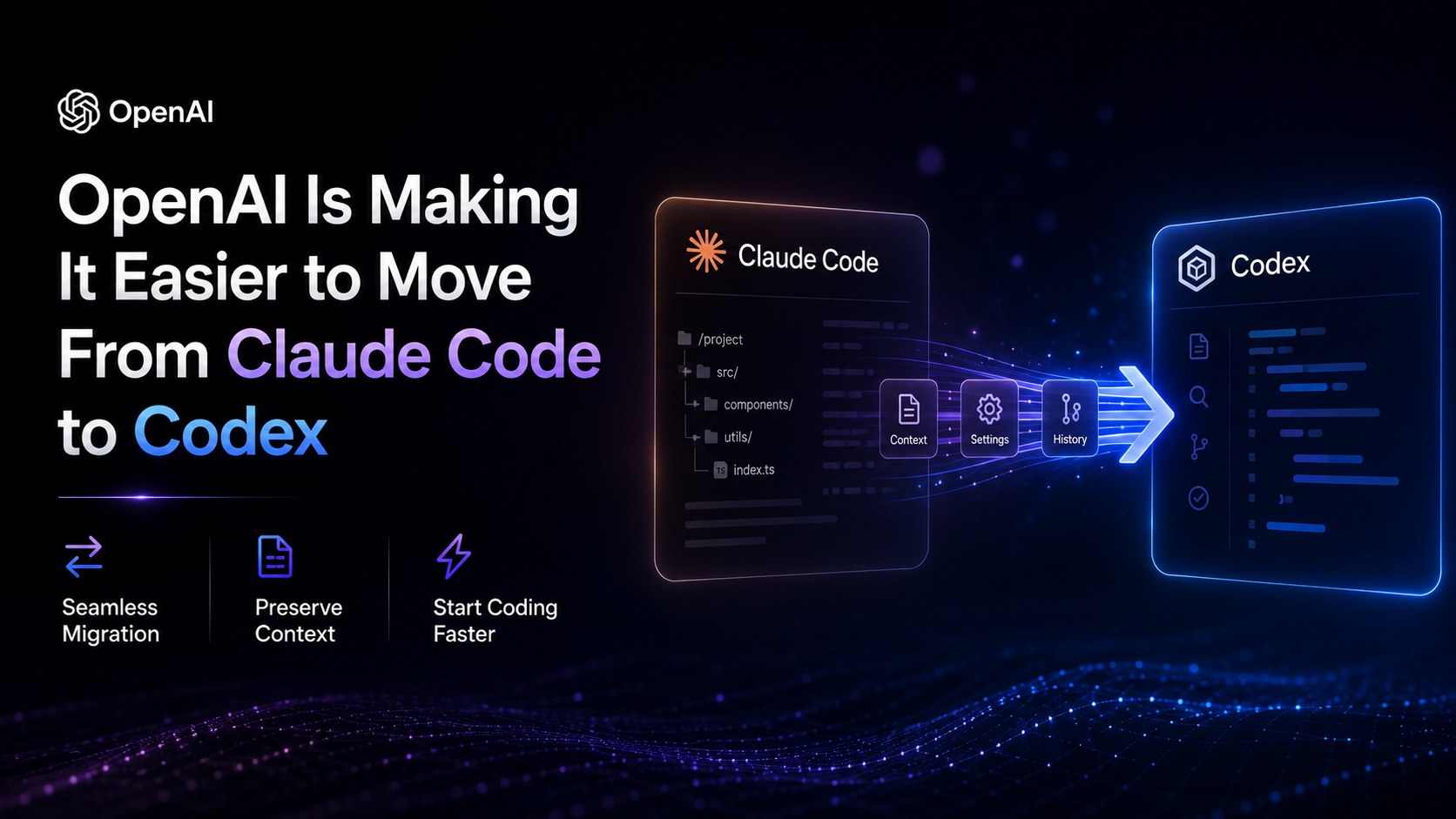
AI 코딩 도구 중에서 가장 대체하기 어려운 것은 종종 구독 비용이 아니다.
개발자가 도구를 중심으로 축적한 모든 것이 문제다: 정교하게 조정된 CLAUDE.md, 수십 개의 작은 워크플로우 팁, MCP 서버 권한, 슬래시 명령어, 스킬, 프로젝트 메모리, 그리고 수개월 간의 채팅 기록.
이러한 파일들은 개발자의 컴퓨터에 조용히 저장되어 있을 수 있지만, 합쳐지면 AI 코딩 워크플로우 운영 매뉴얼을 구성한다. Claude Code에서 다른 도구로 마이그레이션할 때 마이그레이션 지원이 없다면 이러한 구성의 대부분을 처음부터 다시 구축해야 한다.
OpenAI는 이제 이러한 전환을 훨씬 쉽게 만들고 있다.
OpenAI의 현재 문서에 따르면, ChatGPT 데스크톱 앱은 Claude Code, Claude Cowork 및 Cursor에서 지원되는 구성과 최근 작업을 가져올 수 있다. Codex CLI는 Claude Code와 Cursor에서 가져올 수 있으며, 기존 구성을 삭제하거나 교체하는 대신 유지한다.
이것은 단순한 편의 기능처럼 들린다. 하지만 실제로는 개발자가 서로 다른 AI 코딩 도구 간에 전환할 때 직면하는 마찰의 정도를 변화시킨다.
OpenAI는 최근 외부 에이전트 가져오기 지침을 단일 워크플로우로 통합했다.
ChatGPT 데스크톱 앱에서 사용자는 설정 → 가져오기를 열고 Claude Code, Claude Cowork 또는 Cursor와 같은 지원되는 에이전트를 선택할 수 있다. Codex CLI에서 해당 진입점은 다음과 같다:
/import
현재 공식 문서에 따르면 데스크톱 앱은 지침, 설정, 스킬, 플러그인, 프로젝트 및 최근 작업을 가져올 수 있다. Codex CLI는 Claude Code 또는 Cursor에서 지원되는 구성, 프로젝트 파일 및 최근 채팅 기록을 가져올 수 있다.
중요한 세부 사항은 가져오기가 파괴적인 마이그레이션이 아닌 복사라는 점이다.
OpenAI의 문서는 가져오기가 기존 에이전트 구성을 변경하거나 삭제하지 않는다고 명확히 밝히고 있다. 즉, Claude Code 또는 Cursor 구성은 그 자리에 유지되고 Codex는 자체 가져온 버전을 받는다.
이这使得 전체 과정이 도구를 교체하는 것처럼 느껴지기보다는 기존 개발 환경을 두 번째 도구로 가져오는 것처럼 느껴지게 한다.
공식 가져오기 문서는 소스 구성에서 Codex 대상으로의 상당히 상세한 매핑을 제공한다.
| 소스 항목 | Codex 대상 |
|---|---|
| 지침 파일 | AGENTS.md |
settings.json | config.toml |
| 스킬 | 스킬 |
| 플러그인 | 플러그인 |
| 기존 프로젝트 폴더 | 동일한 폴더를 사용하는 프로젝트 |
| Claude Code의 프로젝트 메모리 | 메모리 |
| 최근 30일 채팅 기록 | ChatGPT 채팅 기록 |
| MCP 서버 구성 | Codex MCP 구성 |
| 훅 | Codex 훅 |
| 슬래시 명령어 | 스킬 |
| 서브에이전트 | Codex 에이전트 |
따라서 변환이 항상 단순한 파일 복사는 아니다.
CLAUDE.md와 같은 Claude Code 지침 파일은 AGENTS.md가 된다. Claude Code의 settings.json은 Codex의 config.toml로 변환된다. 슬래시 명령어는 스킬에 매핑되고 서브에이전트는 Codex 에이전트가 된다.
이러한 구분은 중요한 이유는 성공적인 가져오기가 반드시 이후 모든 프로젝트의 동작이 완전히 동일하다는 것을 의미하지 않기 때문이다.
이름이 변경될 수 있고,
구성 형식이 변경될 수 있으며, 실행 모델도 그에 따라 변경된다.
프로젝트 마이그레이션은 또 다른 유용한 세부 사항이다.
OpenAI의 문서는 기존 프로젝트 폴더가 동일한 폴더를 사용하는 방식으로 프로젝트로 가져온다고 설명한다. 따라서 Codex에서 계속 사용하기 위해 전체 저장소를 복사할 필요가 없다.
가져오기 인터페이스는 또한 사용자가 전부 또는 전무 마이그레이션을 강제하는 대신 가져올 내용을 선택할 수 있게 한다.
이는 설정, 지침, 스킬, 플러그인, 프로젝트 및 채팅 기록이 마이그레이션의 독립적인 부분으로 검토될 수 있음을 의미한다.
마이그레이션에는 또 다른 실질적인 문제가 있다: 이전 대화가 너무 커서 대상 도구가 한 번에 처리하지 못할 수 있다.
Codex는 가져온 대화를 단순히 거부하는 대신 컨텍스트 관리를 통해 이 문제를 처리한다.
OpenAI의 현재 문서에 따르면 Codex CLI는 최근 30일 동안 최대 50개의 채팅을 가져올 수 있다. 데스크톱 가져오기 프로세스도 최근 채팅을 지원하며 사용자가 가져온 프로젝트나 대화에서 작업을 계속할 수 있게 한다.
소스 기사는 경험을 다음과 같이 설명한다: 마이그레이션된 Claude Code 대화가 너무 길면 Codex는 사용자가 해당 가져온 대화를 처음 계속할 때 초기 내용을 압축하여 다음 라운드를 위한 컨텍스트를 확보할 수 있다.
실질적인 목표는 간단하다: 마이그레이션은 거대한 가져오기 기록으로 끝나고 즉시 사용할 수 없게 되어서는 안 된다.
소스 기사는 Codex의 여러 버전에 걸친 이 기능의 진화를 추적했다.
기사에 따르면 /import는 Codex CLI 0.140.0에서 처음 등장했으며 더 좁은 범위의 Claude Code 가져오기를 지원했다. 이후 버전에서는 추가 마이그레이션 영역을 추가하고, Cursor 스킬 지원과 가져온 세션의 동기화를 추가하면서 워크플로우를 확장했다.
구체적인 릴리스 기록은 기능이 진화한 속도를 이해하는 데 도움이 되지만, 현재 지원되는 내용에 대해서는 기존 공식 문서가 더 나은 참고 자료다. 이는 가져오기 워크플로우가 이제 초기 버전보다 더 넓은 범위의 에이전트 설정과 최근 작업을 다루고 있음을 확인한다.
소스 기사는 더 날카로운 관찰을 한다: 마이그레이션 문서는 Codex로의 가져오기에 초점을 맞추고 있으며 Codex 구성을 Claude Code로 다시 내보내는 것에는 초점을 맞추지 않는다.
여기에는 중요한 차이가 있다.
OpenAI의 현재 문서는 ChatGPT 데스크톱 앱에서 원래 에이전트에서 가져온 설정으로의 자동 업데이트를 지원한다. 사용자는 설정 → 가져오기에서 자동 업데이트를 활성화하고 가져오기 기록을 확인할 수 있다.
이는 Codex에서 이루어진 편집이 자동으로 Claude Code나 Cursor에 다시 기록된다는 것을 의미하지 않는다.
방향은 여전히 중요하다: 원래 환경은 가져온 복사본에 계속 업데이트를 제공할 수 있지만, 가져온 복사본은 양방향 동기화 계층으로 제시되지 않는다.
개발자에게 이는 자동 업데이트를 활성화하기 전에 어떤 환경이 권위 있는 소스인지 결정할 가치가 있음을 의미한다.
더 넓은
경쟁은 OpenAI에만 국한되지 않는다.
소스 기사는 Anthropic도 사용자 컨텍스트를 Claude로 가져오기 위한 마이그레이션 도구를 개발해 왔다고 지적한다. Anthropic의 현재 도움말 문서는 또한 Claude 사용자를 위한 공식 데이터 내보내기 프로세스를 제공하며, 대화 기록과 계정 데이터를 포함한다.
이는 이념에 있어서 뚜렷한 차이를 만든다.
한 플랫폼이 가져오기와 내보내기를 모두 지원한다면 사용자는 축적한 컨텍스트를 더 자유롭게 이동할 수 있다. 마이그레이션이 주로 단방향 흐름만 있다면 그 기능은 사용자가 대상 플랫폼으로 전환할 때의 마찰을 줄이는 강력한 도구가 될 수도 있다.
기술적 세부 사항은 다르지만 전략적 질문은 동일하다: 개발자가 축적한 AI 워크플로우는 누구 소유이며, 그 이식성은 얼마나 높은가?
가져오기 프로세스를 확장하기 전에 OpenAI는 이미 반대 방향으로 조치를 취했다.
오픈 소스 codex-plugin-cc 프로젝트를 통해 개발자는 Claude Code 내부에서 코드 검토 및 작업 위임을 위해 Codex를 사용할 수 있다. 이 플러그인은 /codex:review 및 /codex:transfer와 같은 명령어를 포함하며, 후자는 Claude Code 세션에서 지속적인 Codex 스레드를 생성할 수 있다.
이 코드베이스는 Apache-2.0 라이선스로 배포되며 OpenAI가 유지 관리한다.
/codex:transfer 워크플로우는 마이그레이션 이야기와 특히 관련이 있다.
플러그인 문서에 따르면 현재 Claude Code 세션을 가져와 지속적인 Codex 스레드를 생성하여 Codex에서 직접 작업을 계속할 수 있다. 이 전송은 Codex
외부 에이전트 세션 임포터로, Claude 기록 가져오기와 동일한 변환 규칙을 따릅니다.
아이디어를 한 문장으로 입력하면 We0 AI가 쇼케이스 사이트, 페이지, CMS를 생성하고 출시 후 고객과 트래픽 확보를 돕습니다.
무료 등록을 위한 하나의 완전한 프로젝트 생성
하나의 완전한 생성 흐름을 시도하고 첫 번째 프로젝트 초안을 빠르게 보는 데 가장 적합합니다.
이는 단순히 새로운 Codex 대화 환경을 시작하는 것과는 다릅니다.
목표는 경계를 넘어 작업 컨텍스트 자체를 이어 나르는 것입니다.
마이그레이션 버튼 하나로 많은 마찰을 줄일 수 있지만, 서로 다른 두 코딩 에이전트를 완전히 동일하게 만들 수는 없습니다.
원본 기사는 개발자가 수동으로 처리해야 할 것으로 예상되는 네 가지 영역을 강조했습니다.
Claude Code에는 특정 파일, 명령, 도구 및 워크플로우에 대해 세밀하게 조정된 권한 규칙이 포함될 수 있습니다.
Codex에는 자체 권한 및 샌드박스 모델이 있습니다. 따라서 가져온 권한 관련 설정은 동일하다고 가정할 수 없으며 검토가 필요합니다.
OpenAI 문서는 마이그레이션 후 가져온 스킬과 에이전트의 도구 제한 및 권한을 검토할 것을 특별히 권장합니다.
중요한 점은 권한 마이그레이션이 단순히 설정 이름을 바꾸는 것이 아니라 원래 의도를 보존하는 것에 관한 것이라는 점입니다.
훅은 동작이 달라질 수 있는 또 다른 영역입니다.
OpenAI 가져오기 문서는 가져온 훅이 마이그레이션 후 다르게 동작할 수 있으므로 검토해야 한다고 명시적으로 경고합니다.
간단한 훅은 문제없이 이전될 수 있습니다. 조건, 환경 가정 또는 비동기 동작이 포함된 더 복잡한 체인은 대상 도구에 맞게 재설계해야 할 수 있습니다.
따라서 항상 변환 문제인 것은 아닙니다. 때로는 워크플로우 재설계 문제입니다.
이것이 가장 확실한 차이점일 수 있지만, 가장 간과하기 쉬운 차이점 중 하나이기도 합니다.
지침, 스킬, MCP 구성, 프로젝트 파일 및 메모리를 Codex로 가져올 수 있지만, 이러한 지침을 실행하는 모델은 여전히 다릅니다.
Claude의 동작에 맞게 튜닝된 프롬프트나 CLAUDE.md 파일은 OpenAI 모델이 실행할 때 정확히 동일한 결과를 생성하지 않을 수 있습니다.
구성은 성공적으로 마이그레이션되었을 수 있지만, 그 이면의 동작은 변경되었습니다.
원문은 Codex가 OpenAI 자체 모델과 Responses 기반 워크플로우를 중심으로 설계되었다고 지적합니다. Codex를 사용자 지정 제공자로 라우팅하려는 개발자는 이를 별도의 구성 작업으로 간주해야 하며, 가져온 Claude 모델 구성이 자동으로 이어질 것이라고 가정해서는 안 됩니다.
모든 대화가 마이그레이션 대상이 되는 것은 아닙니다.
OpenAI의 현재 문서에 따르면 Codex CLI는 최대 최근 30일 이내의 채팅 50개까지만 가져올 수 있습니다. /import 명령에도 작동상 제한이 있습니다. 작업 실행 중, 원격 세션, 또는 로컬 앱 서버 데몬에 연결된 상태에서는 사용할 수 없습니다.
현재 문서는 또한 로컬 설정과 프로젝트 수준 설정을 구분하므로, 개발자는 가져오기를 시작하기 전에 파일과 구성이 정확히 어디에 있는지 확인해야 합니다.
결과적으로 실용적인 경험 법칙이 도출됩니다:
원클릭 가져오기가 검토 불필요를 의미하지는 않습니다.
모델 벤치마크는 빠르게 변화합니다.
어떤 모델이 한 달 동안 선두를 달리다가 다음 버전으로 대체될 수 있습니다. 훨씬 더 느리게 변화하는 것은 개발자 주변의 워크플로우입니다.
CLAUDE.md, AGENTS.md, 스킬, MCP 서버, 권한, 프로젝트 메모리, 명령 및 축적된 대화는 개발자의 실제 작업 방식을 인코딩하기 때문에 시간이 지남에 따라 더 가치가 높아집니다.
이것이 이식성을 경쟁 문제로 만듭니다.
이러한 구성의 재사용성이 높을수록 개발자가 특정 AI 코딩 플랫폼에 대한 의존도는 낮아집니다.
그리고 이 양날의 검은 양방향으로 작동합니다.
SKILL.md, AGENTS.md, 표준화된 MCP 정의와 같은 개방형 표준은 워크플로우를 한 도구에서 다른 도구로 더 쉽게 마이그레이션할 수 있게 합니다. OpenAI가 Claude Code 사용자를 유치하는 데 도움이 되는 상호운용성은 궁극적으로 이러한 사용자가 Codex를 떠나기도 더 쉽게 만들 수 있습니다.
개발자를 위한 실용적인 전략은 간단합니다:
중요한 워크플로우 자산을 가능한 한 이식 가능한 형식으로 유지하고, 전체 개발 프로세스를 특정 독점 도구에 의존하게 만들지 마십시오.
Codex는 지원되는 지침, 설정, 스킬, 플러그인, 프로젝트 파일, 최근 채팅, MCP 구성, 훅, 슬래시 명령 및 하위 에이전트를 가져올 수 있습니다. OpenAI 문서는 또한 Claude Code의 프로젝트 메모리를 Codex 메모리에 매핑합니다.
로컬 Codex CLI 세션을 시작하고 /import를 실행합니다. 그런 다음 Claude Code를 선택하고, 가져올 지원되는 설정 또는 프로젝트 파일 및 최근 채팅을 선택한 후 가져온 구성을 검토합니다.
네. OpenAI의 현재 문서에 따르면 Codex CLI는 Cursor에서 가져올 수 있으며, ChatGPT 데스크톱 앱은 Claude Code, Claude Cowork 및 Cursor에서 가져올 수 있습니다.
아니요. OpenAI는 가져오기가 기존 에이전트 설정을 변경하거나 삭제하지 않는다고 명시합니다. 가져온 구성은 대상 환경에 별도로 도입됩니다.
Codex CLI는 최대 최근 30일 이내의 채팅 50개까지 가져올 수 있습니다. /import 명령은 사용 시점에도 일부 제한이 있으므로 일반적인 로컬 CLI 세션에서 실행하는 것이 좋습니다.
반드시 그렇지는 않습니다. 스킬, 훅, 권한, 플러그인 및 명령 템플릿은 원래 도구의 동작에 의존할 수 있으므로, OpenAI는 가져온 설정에 의존하기 전에 검토할 것을 권장합니다.
OpenAI의 codex-plugin-cc는 Claude Code 세션에서 지속적인 Codex 스레드를 생성하는 /codex:transfer 명령을 제공합니다. 이 플러그인은 Codex에서 Claude Code 작업을 계속하기 위해 설계되었습니다.
계정 및 대화 데이터 가이드.
OpenAI가 현재 제공하는 가져오기 워크플로우는 Claude Code 또는 Cursor에서 수개월간 축적된 구성과 컨텍스트를 옮기는 데 있어 개발자의 큰 마이그레이션 장벽을 제거합니다. 지침, 스킬, 플러그인, 프로젝트, MCP 구성, 메모리 및 최근 채팅 기록은 이제 지원되는 가져오기 프로세스를 통해 Codex로 이동할 수 있습니다.
중요한 제한 사항은 마이그레이션이 완벽한 호환성을 의미하지는 않는다는 점입니다. 권한, 훅, 프롬프트, 플러그인 및 모델 동작은 마이그레이션 후 변경될 수 있으므로 사용 전에 가져온 구성을 검토해야 합니다.
이들은 프로덕션 워크플로우의 일부가 되었습니다.
가장 이식성이 높은 AI 코딩 설정은 중요한 지침, 스킬 및 프로젝트 지식을 단일 에이전트 설정과 독립적으로 유지하는 것입니다.
한 문장에서 시작해 몇 분 안에 완전한 웹사이트를 받아보세요.



