Since the user's instruction says to translate the content into English (en), and the source content is in Chinese (zh-CN), I need to translate the entire Chinese content into natural, accurate English. Let me work through this carefully.
Start with the Conclusion: What Manufacturers Lack Isn't Materials—It's "Product Structures That Can Be Understood"
Most manufacturers don't lack content.
Sales teams have a batch of product images, engineers have an Excel parameter sheet, and factories have plenty of on-site photos. But when it actually comes time to go live, what's left is often just a page of product names, a few large images, and a line about "reliable quality, professional service."
Having lots of materials doesn't mean buyers can understand them; having a page live doesn't mean the page can generate inquiries.
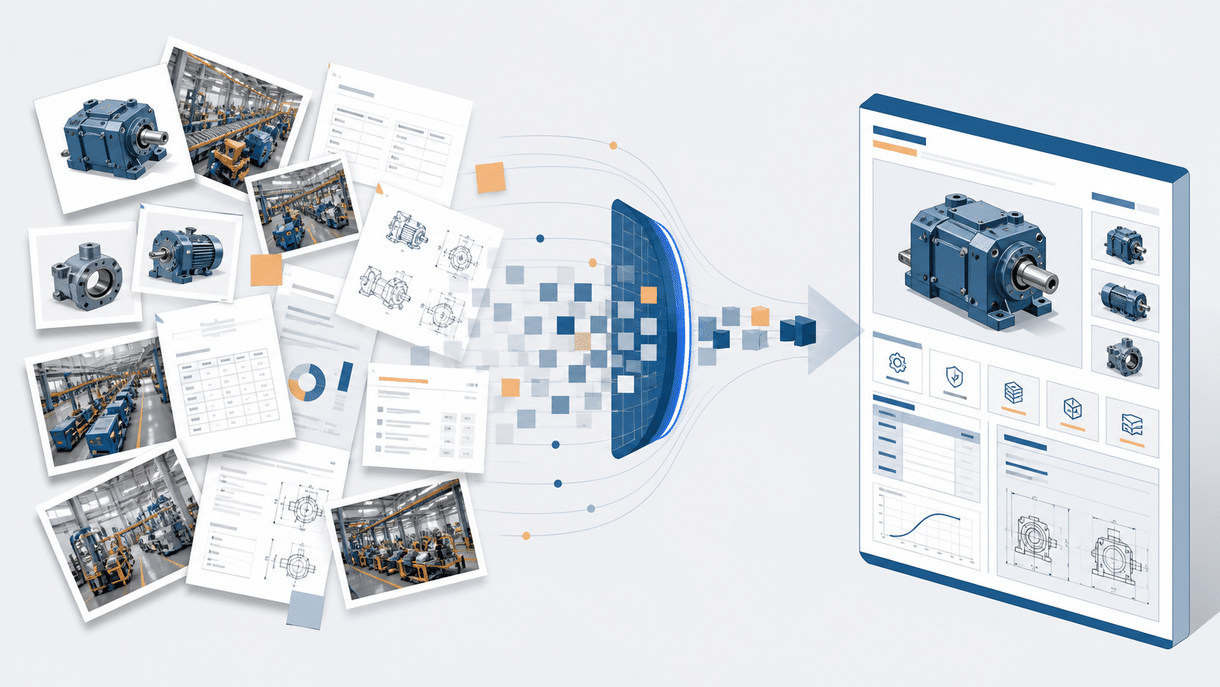
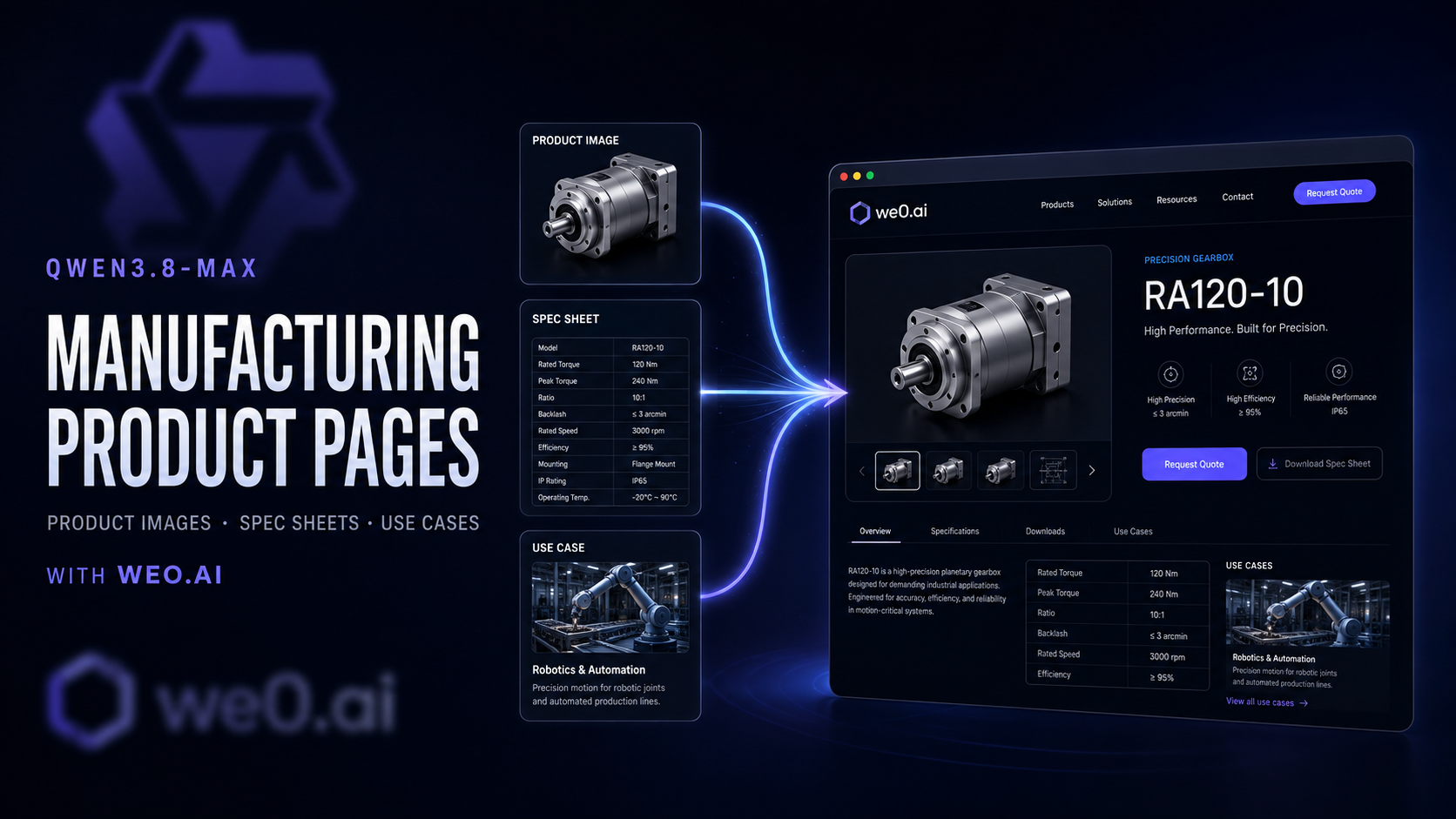
After the release of Qwen3.8-Max, manufacturers can treat the large model as the "materials organization and page planning layer," then use We0.ai to turn the organized information into live, editable, and continuously optimizable product pages.
The key isn't to have AI invent parameters for engineers—it's to have it handle three things:
- Consolidate scattered materials into a clear product information architecture;
- Translate engineering language into page copy that procurement teams, technical leads, and application users can quickly scan and understand;
- Turn a one-off product introduction into a long-term asset that can be searched, cited, and converted.
Don't let AI "invent products." Let AI "organize evidence, explain differences, and structure decisions."

- First, Organize Materials into Three Layers: Facts, Explanations, Conversions
Dumping all your files into the model at once usually won't produce a good page. A more reliable approach is to first build a minimal materials package.
| Material Layer | Typical Content | What AI Can Do | What Humans Must Verify |
|---|---|---|---|
| Facts Layer | Model, dimensions, materials, power, precision, certifications, lead time | Deduplicate, standardize units, identify missing fields | Parameter authenticity, version, applicable scope |
| Explanation Layer | Product advantages, working principles, process differences, maintenance methods | Rewrite into explanations buyers can understand | Whether technical wording is accurate |
| Conversion Layer | Industries, operating conditions, customer problems, inquiry criteria | Organize application scenarios, FAQs, CTAs | Whether it matches the real sales process |
This step matters. Parameters are the "evidence" of a product page, scenarios are the "reason" buyers get interested, and CTAs are what keep that interest moving forward.
Recommended Naming for the Materials Package
01_product_master.xlsx: Product master data and parameter tables02_product_images/: Hero images, detail shots, dimension drawings, installation diagrams03_application_cases/: Industries, operating conditions, customer outcomes, and on-site photos04_certificates/: Certifications, test reports, material documentation05_sales_faq.docx: The most common questions sales gets asked
Don't name files like "New Folder (3)." The model can understand the content, but your team will have a hard time maintaining it later. A good product page often starts with good file management.

- Don't Organize Product Images by "Date Taken"—Organize Them by Buyer Questions
Manufacturers typically categorize images like this: trade show photos, factory photos, customer photos, product photos. That's fine for internal archiving, but it's not enough for a product page.
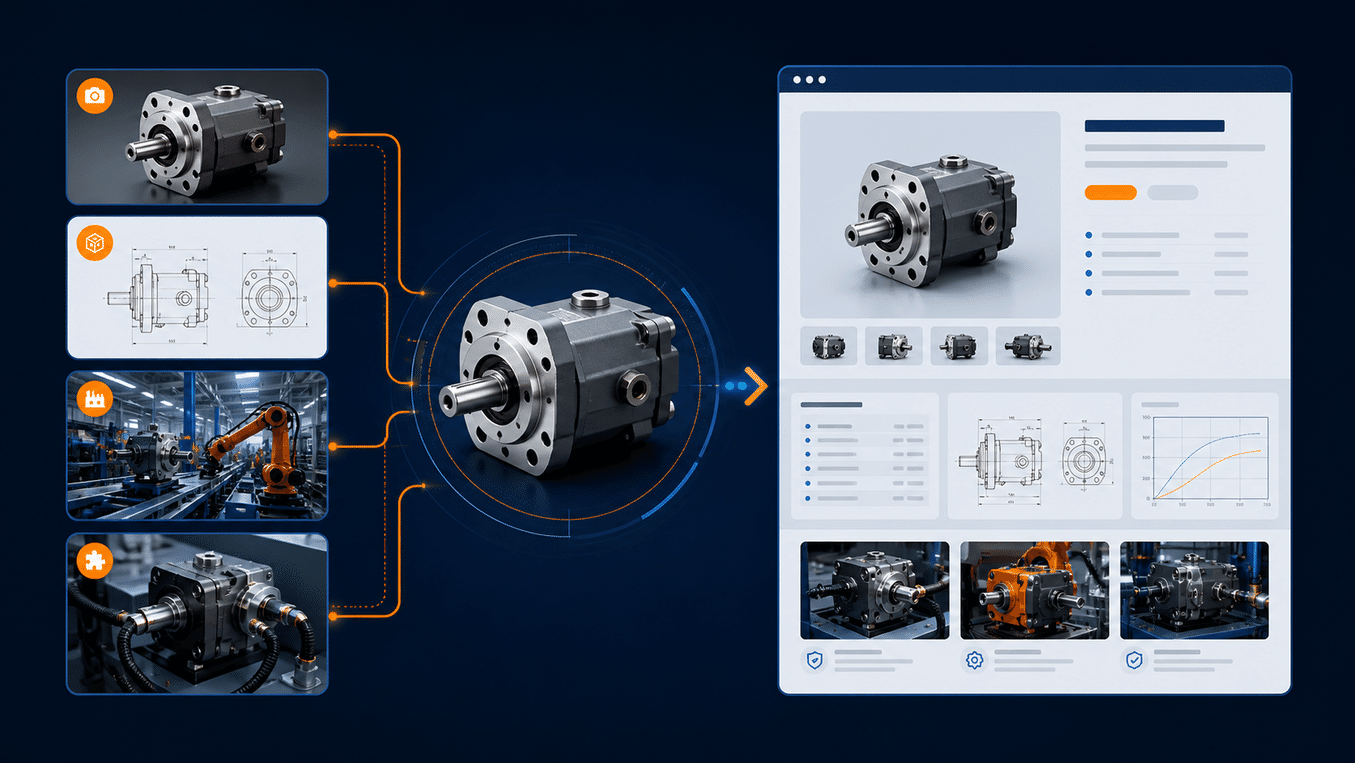
Buyers care more about: What is this? Where are the critical parts? What are the dimensions and interfaces? What does it look like installed on my production line?
So a product needs at least four categories of images:
- Recognition Images: Let Buyers Know "What This Is" Within Three Seconds
Use one clean hero image to communicate the product's form factor, sense of scale, and core structure. Don't turn the hero image into a parts warehouse, and don't cram the first screen with parameters.
- Proof Images: Convince Buyers "It Actually Works Like This"
Include close-ups of critical components, material textures, control panels, interfaces, and welding or machining details. One caption per image is more effective than stacking ten uncaptioned photos.
- Installation Images: Reduce "Will It Connect?" Doubts
Dimension drawings, hole-position diagrams, installation orientation, companion accessories, and interface descriptions should sit next to the parameter module—not buried in a download center.
- Context Images: Answer "What Does It Do in My Operating Conditions?"
Put the product into a real process chain: material in, equipment processing, output out. Context images aren't factory scenery—they're application evidence.
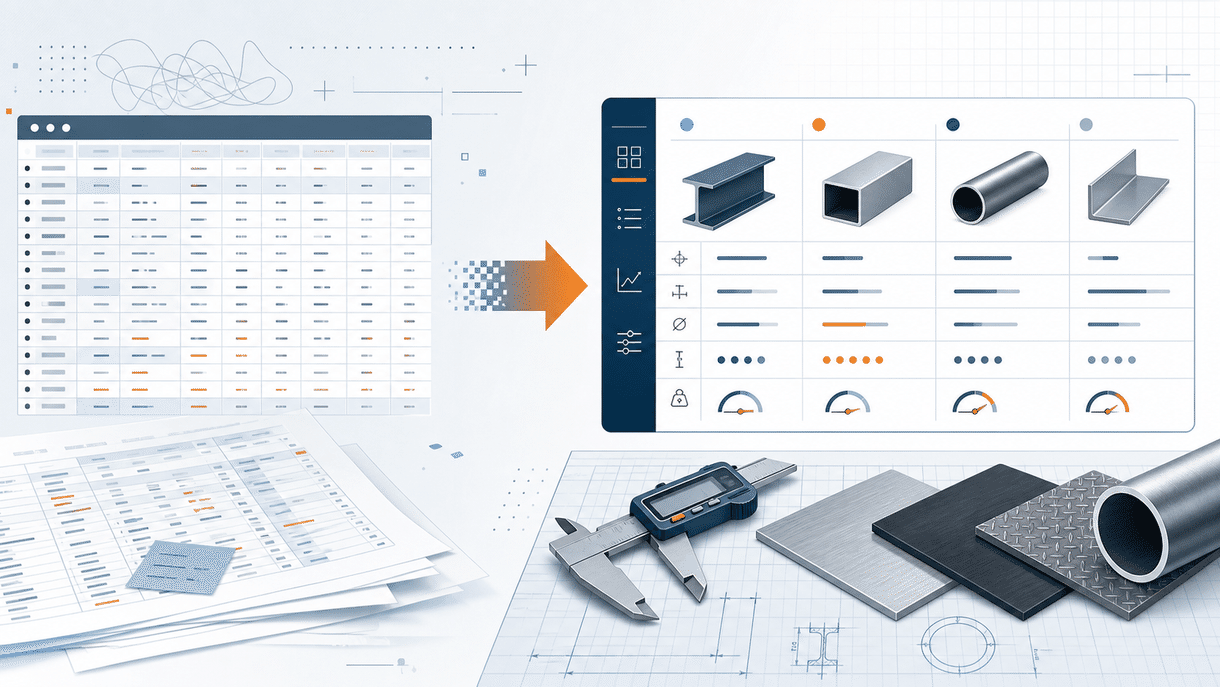
- Don't Copy Parameter Tables Straight onto the Page—Build a "Decision-Oriented Parameter Table" First
Excel suits engineers for maintenance, but it doesn't necessarily suit web reading. A web parameter table should be organized around decision-making rather than spilling every field flat onto the page.
Restructure it in this order:
- Core Specifications: Model, processing capacity, dimensions, weight, power;
- Performance Metrics: Precision, speed, temperature, pressure, stability;
- Operating Boundaries: Compatible materials, ambient temperature, continuous-run conditions;
- Configuration Options: Standard configuration, optional modules, customization scope;
- Delivery & Service: Certifications, packaging, lead time, installation, after-sales.
The task you give Qwen3.8-Max shouldn't be "please make the table look nicer." It should be:
Based on the confirmed parameter table, extract the 8 fields buyers compare first when making a selection; standardize units; flag missing values; separate "optional" from "standard"; do not invent any numbers not present in the original materials; generate one sentence of explanation for each field aimed at procurement and technical staff.
There are two benefits to this kind of prompt: first, the output is closer to a page-ready module; second, it builds "no speculation" into the workflow.

- Write Application Scenarios as "Problem—Operating Condition—Outcome," Not Just Industry Names
"Suitable for automotive, electronics, medical, and food industries" is not an application scenario—it's just an industry label. A genuinely useful scenario module needs to answer at least four questions:
- What problem did the customer originally have?
- Where does the product sit in the production process?
- What conditions determine whether it can operate reliably?
- What verifiable outcome did the customer ultimately get?
A useful scenario card can be written like this:
Scenario title: Continuous conveying in high-dust environments
Customer problem: Standard equipment clogged frequently; shutdowns for cleaning delayed delivery schedules.
Operating conditions: High dust concentration, continuous operation, constrained space.
Product configuration: Wear-resistant components, sealed structure, quick-maintenance interfaces.
Outcome statement: Reduced manual cleaning frequency and made maintenance actions easier to standardize.
Suggested follow-up questions: Material type, conveying distance, target capacity, and on-site dimensions.
Note the last line. It turns the scenario from "marketing" into "a sales entry point."

- Don't Rely on "Smart Generation"—Use a Repeatable AI Workflow
Many people assume the value of Qwen3.8-Max after release lies in "generating a page with one click." In practice, the more reliable approach is to let AI do the summarization and restructure work, with humans verifying and releasing.
A repeatable workflow might look like this—this is the "human-machine collaboration" we're recommending:
Step 1: Build the materials package (human)
Confirm which files are valid, which are duplicates, and which numbers must never be changed. This is the "source of truth" and cannot be skipped.
Step 2: Use Qwen3.8-Max for "content summary and rewrite" (AI)
- Summarize the table into the five modules above;
- Turn each photo into a description with a specific angle;
- Turn every multi-line description section into a buyer-oriented copy block.
Step 3: Use We0.ai for "page assembly and layout" (Template + Build)
Choose a template that fits machinery displays, then drag modules into the corresponding positions. Don't make arbitrary large changes to the layout—most visitors are used to the standard information order.
Step 4: Verifier confirmation (human)
Engineers confirm numbers, sales confirm messaging, and management confirms positioning. This step doesn't need to be complex; it just needs to happen before releasing.
Step 5: Feedback and iteration (collaboration)
When customers leave comments or ask questions, add them to the FAQ and update the page. Not every update requires "regenerating"; many are better done with direct edits.
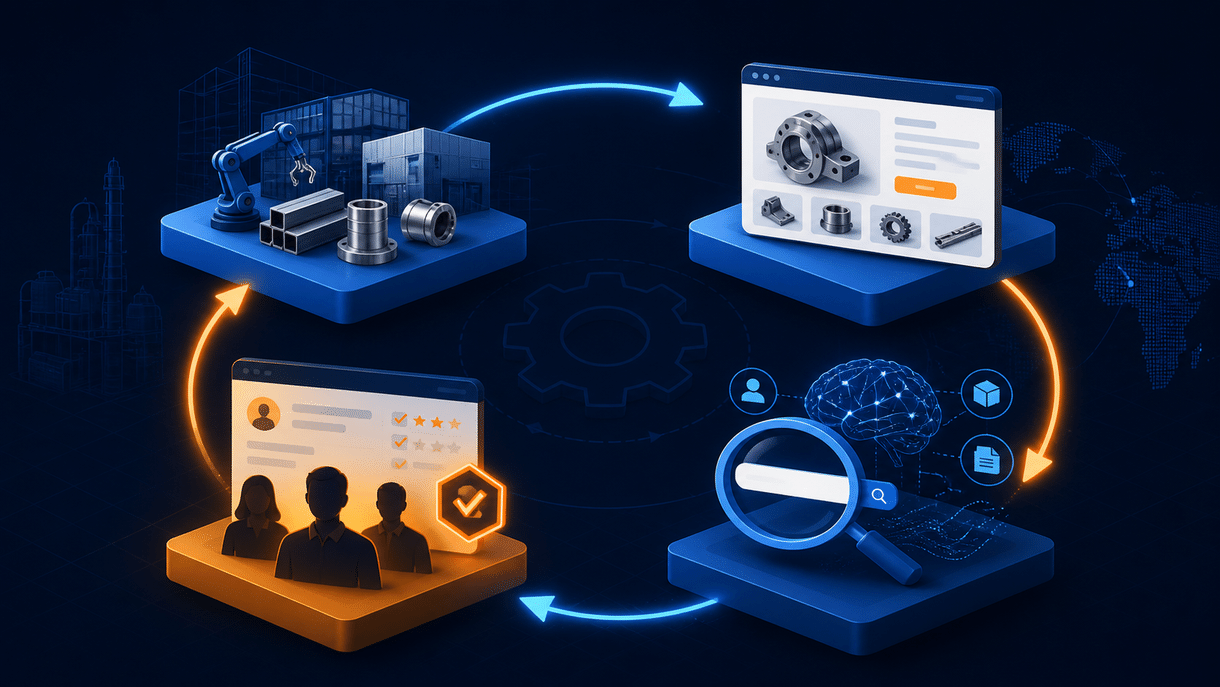
- The Core Logic of a Product Page: Build a "Trust Loop"
A product page isn't a brochure. It's a trust loop:
- The hero image clarifies the product;
- Parameters make the claims credible;
- Scenarios create relevance;
- Certifications and cases reduce risk;
- The CTA tells the next step.
Each element doesn't work in isolation; they work together to answer three questions in the buyer's mind:
- What is this? (Recognition)
- Can I trust it? (Evidence)
- What does it do for me? (Scenario and value)
Build a showcase site and grow leads in minutes
Describe your idea once, and We0 AI can generate a showcase site, pages, and CMS, then help you attract customers and traffic after launch.
One complete project generation for free registration
Best for trying one complete generation flow and seeing a first project draft quickly.
- What to Do After the Page Goes Live
Launching the page is just the beginning, not the end.
- Collect real inquiries, track which modules customers mention most;
- Turn the most common questions from pre-sales conversations into new FAQ blocks;
- Turn the scenarios from applied cases into updates for other pages;
- Synchronize the latest version back to the source parameter table.
The goal isn't a static page; it's a product content system that keeps accumulating.
Final Summary: Give AI "Complete Materials," Not "Creative Freedom"
After Qwen3.8-Max's release, the biggest gain for manufacturers is not "AI can generate a page" but "AI can help organize the materials that should be organized."
- Let AI organize facts, not invent them;
- Let AI translate engineering language into buyer language;
- Let We0.ai turn organized information into a live product page;
- Let humans stay on top of verification, release, and iteration.
The real competitive barrier isn't AI generation capability. It's whether you have a repeatable system—materials, explanations, scenarios, verification, and conversion.
Use We0.ai to build a product page system that is grounded in facts, organized around decisions, and verified by humans. That's a foundation no model update can take away.
Frequently Asked Questions
Q1: After Qwen3.8-Max, can AI replace engineers to fill in parameter tables?
A: No. AI can help detect missing fields and suggest deduplication, but every number must be consistent with the source materials. Any claim that "generates parameters" is not reliable.
Q2: Can I directly import a We0.ai template?
A: Yes. We0.ai offers multiple templates for industrial product categories. You can select a suitable one and then adjust modules and content structure; the layout order should prioritize information clarity.
Q3: What if I don't have typical customer scenarios?
A: You can describe the intended operating environments from the product's design intent: for example, high temperature, moisture, continuous operation, or space constraints. These descriptions should be based on real design conditions, not fabricated case studies.
Q4: Can I add multiple languages to the product page?
A: You can use Qwen3.8-Max to translate and adapt the content into multiple languages and update it on the We0.ai page, but translations also need engineers to confirm technical terms before releasing.
Q5: Which part of the product page updates most frequently?
A: The parameter table and application scenarios are the most dynamic: new certifications, new application cases, updated specifications, and price adjustments. We recommend establishing a monthly review rhythm and updating at least one module each cycle.
We0.ai Puts a "Professional Product Content Editor" Behind Every Manufacturer
We0.ai is not just a website builder. It's a product page organization system designed for the way manufacturers actually work: classification → organization → drafting → verification → release → iteration.
Whether you have three old product line files or a complete documentation package, We0.ai can help you organize, present, and update them all in one place.
If you want to see what a well-organized product page looks like, you can create a draft page with We0.ai now and use Qwen3.8-Max to refine the content.
A good product page starts with the first parameter sheet you organize, not the first line of AI-generated copy.
The interface numbered "①" on the left shows real product photos and thumbnails of pump products; the equipment scene in the middle corresponds to the manufacturing-related working conditions mentioned in the document, along with a data-chart interface reflecting product specifications and performance; the interface on the far right shows employees operating computers, ultimately pointing to an email notification, corresponding to the content in the document about converting application scenarios into sales entry points. The entire set of illustrations clearly echoes the theme of organizing product materials to build a product page after the Qwen3.8-Max release.](https://we0-cms.oss-cn-beijing.aliyuncs.com/cms-assets/image/2026/08/c75d2509-1f93-4b66-9c21-7fa1178e89dd-13bb6600-5805-4c47-a319-c07a98ee35e5.png)
V. Building a Product Page in We0.ai: Content Structure First, Visual Design Second
We0.ai is better suited for turning manufacturing companies' product materials into formal showcase sites, product official websites, service pages, and inquiry pages — not just generating a nice-looking demo. The following page structure is recommended:
First Screen: Explain the Product and Its Value in One Sentence
The formula can be:
Product category + target working conditions/industry + key problem solved
For example: Modular conveying equipment designed for high-dust continuous conveying, helping factories reduce blockage-related downtime and shorten maintenance time.
Do not write "leading technology, quality assurance, trustworthy" on the first screen. These phrases are too vague — search engines and AI alike will struggle to determine what exactly the product is.
Second Screen: Use Three to Four Evidence Points to Explain Why It's Worth a Look
Replace "efficient, stable, durable" with observable evidence: structure, materials, working condition boundaries, testing methods, certifications, or delivery capabilities.
Third Screen: Product Image and Specification Table Side by Side
The left side helps buyers build a mental image, while the right side lets buyers quickly assess whether it's a match. On mobile, place core specifications first, then provide full specifications in an expandable section.
Fourth Screen: Application Scenarios and Industry Cases
Every scenario should include working conditions, configuration, and results. When customer names are unavailable, anonymous scenarios can be used — but do not fabricate savings percentages or customer logos.
Fifth Screen: FAQ, Downloads, and Inquiries
The FAQ captures long-tail search traffic, the parameter PDF supports in-depth evaluation, and the inquiry form collects the information needed for product selection. Do not simply include a "Contact Us" button without telling buyers what information they need to prepare.
VI. How to Understand the Division of Labor Between Qwen3.8-Max and We0.ai
Qwen3.8-Max is responsible for understanding long-form materials, summarizing differences, generating multiple expression versions, and identifying content gaps; We0.ai is responsible for putting that content into pages, CMS, domains, and continuous growth workflows.
| Task | Qwen3.8-Max is better at | We0.ai is better at |
|---|---|---|
| Material understanding | Reading documents, summarizing fields, identifying conflicts | Solidifying into maintainable content |
| Page planning | Producing information architecture, module copy, FAQ | Generating, editing, and publishing pages |
| Content growth | Generating titles, long-tail questions, scenario articles | Managing publishing, SEO/GEO configuration, and updates |
| Lead generation loop | Simulating buyer questions, optimizing CTA copy | Handling public traffic and inquiry paths |
In one sentence: The model is responsible for thinking through the materials clearly, and We0.ai is responsible for getting the pages up and running.
This is also why it's not advisable to leave model output sitting in a chat window. Chat history is not an official website, and temporary copy is not a growth asset.

VIII. Manual Review Checklist Before Publishing
After AI generates content, manufacturing companies should conduct at least one manual review:
- Whether model numbers, units, values, and versions are consistent;
- Whether "optional configurations" have been written as standard configurations;
- Whether performance conclusions include test conditions;
- Whether scenario results come from real projects;
- Whether images show the correct model;
- Whether multilingual versions have mistranslated technical terms;
- Whether the form collects selection information such as capacity, materials, dimensions, and working conditions;
- Whether the page can be quickly scanned on mobile;
- Whether titles, descriptions, FAQ, and image alt text revolve around the same search intent.
The most dangerous thing is not an unattractive page — it's a page that looks highly professional while sending buyers to make inquiries with incorrect information.
FAQ
Q1: Can Qwen3.8-Max directly read enterprise Excel files and generate product pages?
It can be used for field organization, content summarization, and page drafts, but data validation cannot be skipped. Parameters, certifications, delivery times, and performance boundaries must be based on the company's actual materials.
Q2: Is more parameters on a product page always better?
No. The first screen and core modules should include the fields most needed for product selection; full specifications can be collapsed or offered as a download. High information density does not mean high reading cost.
Q3: If we don't have real case photos, can we use AI-generated application images first?
Conceptual images can be used to explain processes, but they should be clearly labeled as illustrative and must not be disguised as customer sites or test results. Real project photos remain far more convincing evidence.
Q4: Is We0.ai just an AI website builder?
No, not just that. According to We0.ai's official positioning, it covers website generation, content management, deployment, and SEO/GEO optimization, making it better suited for turning products, services, and cases into sustainably operated showcase websites.
Q5: Should manufacturing companies build the entire site first, or start with one product page?
It's recommended to start with one product that has the highest inquiry potential and the most complete materials, validate the page structure, form fields, and traffic entry points, and then replicate to the product line. Getting one loop working end-to-end is more reliable than rolling out dozens of empty pages at once.
Related Tools
- We0.ai AI Website Builder: Generate official websites and product pages from product materials.
- We0.ai SEO and GEO Optimization: Configure the page's search foundation and prepare clear content structure for AI search.
- We0.ai CMS Backend: Continuously maintain products, cases, FAQs, and downloadable content.
- Qwen Official Blog: View official release information about Qwen3.8-Max.
Ready to Get Started?
If your product materials are scattered across Excel spreadsheets, cloud drives, and sales chat records, you don't need to wait for a set of "perfect content" before starting.
Pick one product, prepare a confirmed specification sheet, 6 to 10 key images, and 2 real application scenarios. Let Qwen3.8-Max help you organize, and let We0.ai help you build, launch, and continuously optimize.
Summary
The real opportunity Qwen3.8-Max brings is not letting manufacturing companies write a few more AI copy pieces — it's lowering the cost of turning engineering materials into buyer-understandable content.
But ultimately, it comes back to the product page itself: whether the information is truthful, whether the structure is clear, whether the scenarios are credible, and whether the inquiry flow is smooth.
Organize product images, specification sheets, and application scenarios, then hand them to We0.ai to build into a publishable, searchable, sustainably operated website page — that's how a manufacturing company turns a single product launch into a long-term lead-generation asset.