Introduction
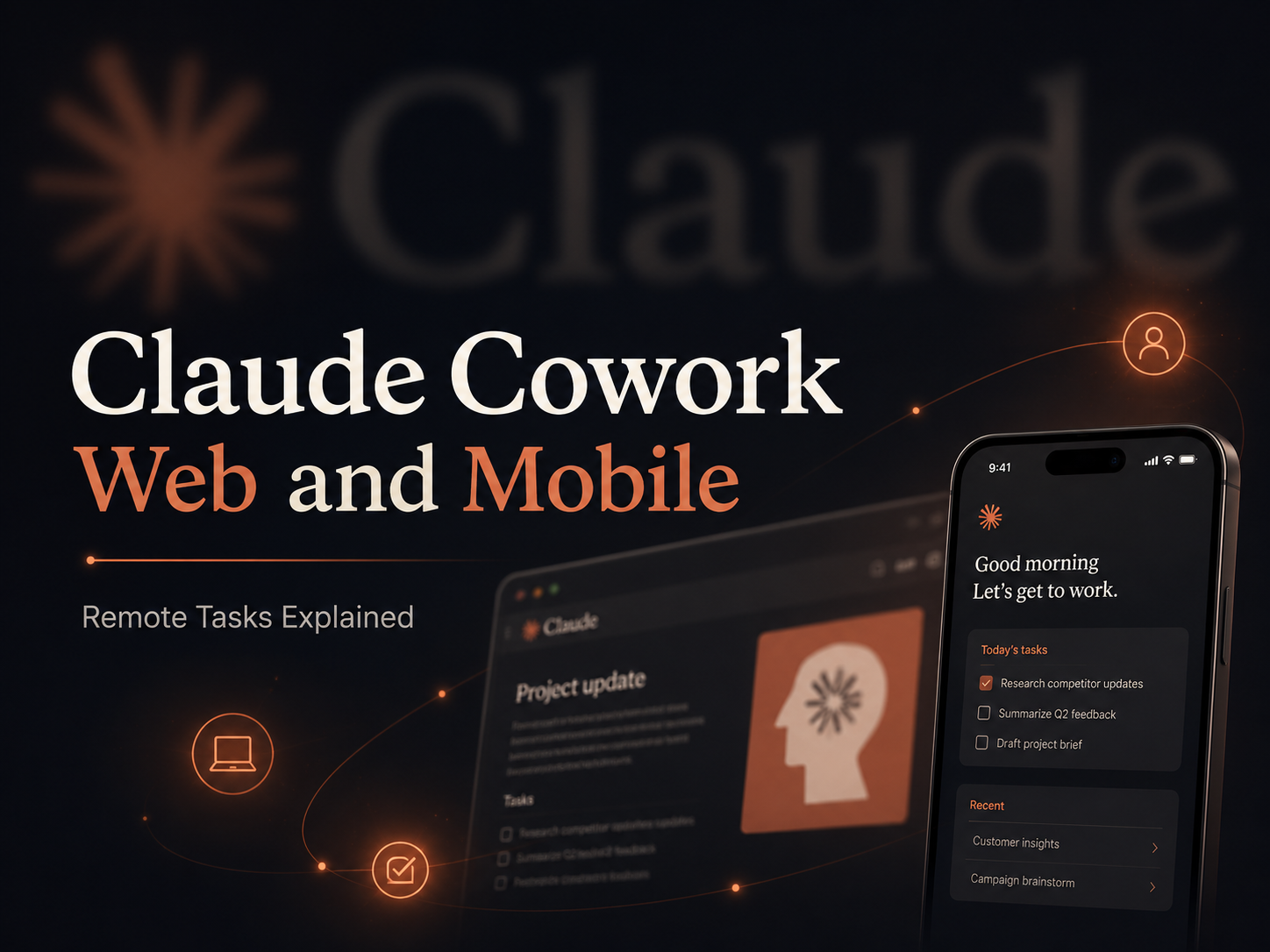
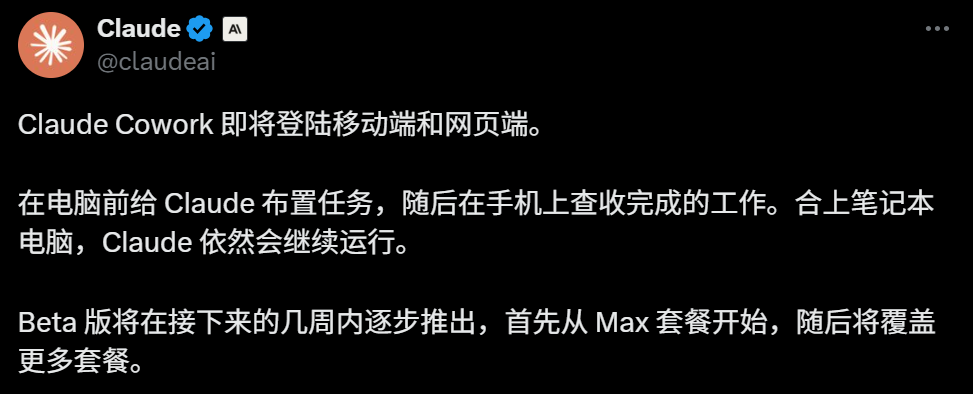
Claude Cowork has moved beyond the desktop. Anthropic is rolling the agent workspace out to the web and mobile apps, allowing users to start a task on one device, check its progress from another, and let supported work continue in the background.
The update changes the basic rhythm of using an AI agent. Instead of staying beside a laptop while a long task runs, a user can describe the desired outcome, leave the session working remotely, and return when Claude needs a decision or has an output ready for review.
Chat and Cowork also share a common entry point on supported surfaces. This makes delegation feel closer to starting a normal Claude conversation, while Cowork remains focused on multi-step tasks that use files, connected services, browser actions, and structured outputs.
Claude Cowork Is Expanding Beyond the Desktop
Anthropic announced that Cowork sessions and files can follow users across web, desktop, and mobile. The beta rollout began with Max users and is expanding to additional paid plans.
The updated experience is built around three practical changes:
- Tasks follow the user across devices. A session started at a desk can be reviewed or redirected from a phone.
- Supported work continues in the background. Remote sessions run on Anthropic’s infrastructure rather than depending entirely on the user’s active laptop.
- Important decisions still return to the user. When Claude reaches a step that requires judgment or approval, it can pause and ask before continuing.
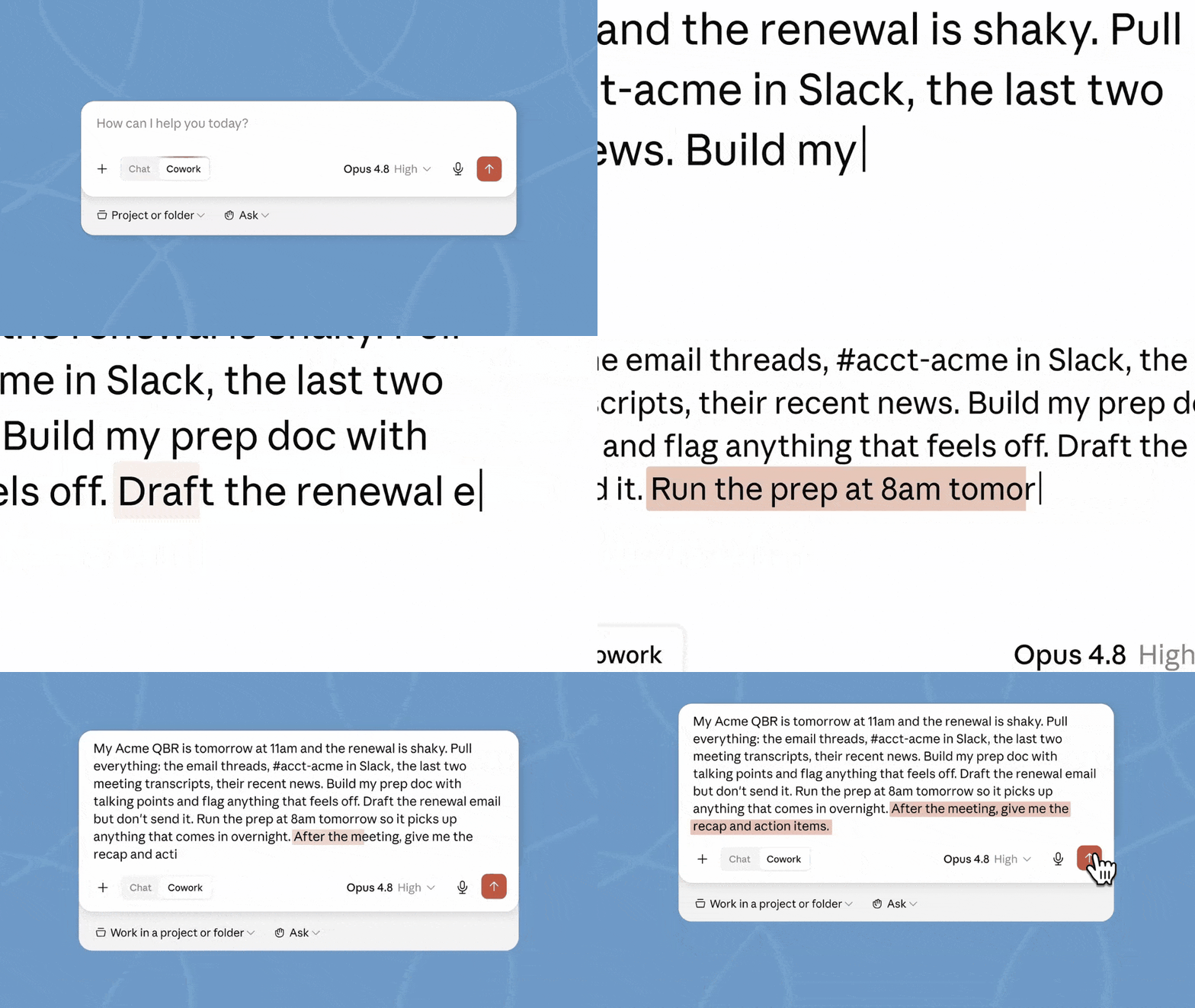
On web and desktop, Chat and Cowork now share the same home. Users can choose Cowork from the message box when they want Claude to carry out a larger task rather than simply answer a question.
Cloud Sessions Let Work Continue After the Laptop Closes
The most visible change is that a Cowork task no longer has to stop just because the user leaves the computer.
A typical workflow may look like this:
- The user describes an outcome, such as preparing a meeting brief, collecting data, identifying risks, or drafting a follow-up email.
- Cowork interprets the request and organizes the work into smaller steps.
- Claude checks which approved connectors, files, projects, and tools are available.
- It gathers the relevant information from connected sources.
- It creates the requested document, spreadsheet, presentation, summary, or draft.
- If a consequential choice appears, Cowork pauses and asks the user.
- The final output remains available for review before anything sensitive is sent or published.
This is particularly useful for tasks that naturally stretch across several hours: research, document preparation, recurring reports, meeting preparation, data reconciliation, and post-meeting follow-up.
Scheduled Tasks Can Run Without an Online Device
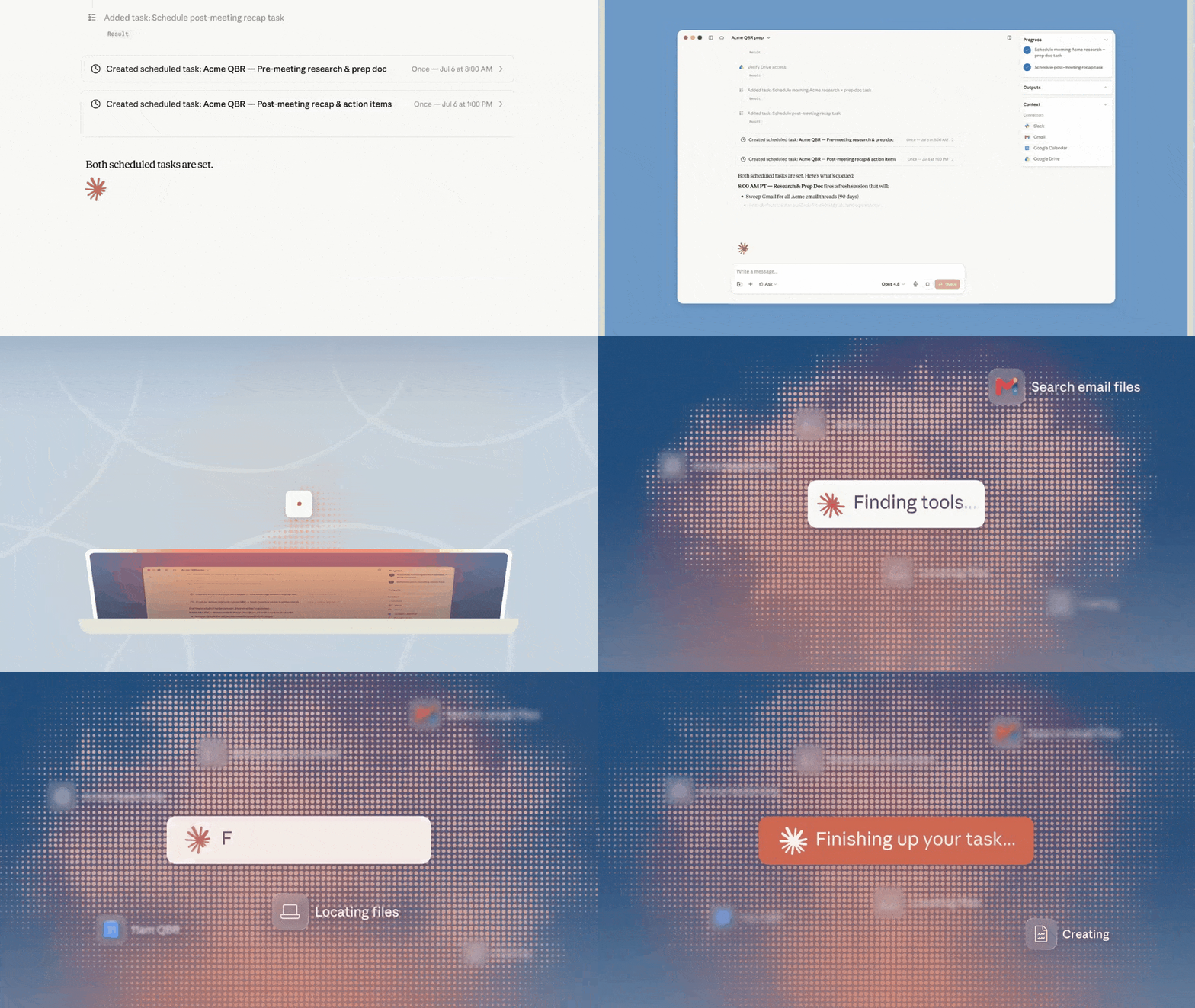
Cowork scheduled tasks can now run remotely. A recurring task can be configured once and then triggered at the selected time without requiring the laptop to remain awake.
Examples include:
- Preparing a morning industry briefing.
- Updating a weekly performance report.
- Building a client meeting brief before the workday begins.
- Producing a post-meeting recap and action list.
- Monitoring selected connected information on a recurring schedule.
Important: Remote execution does not mean unlimited access to everything on the computer. According to Anthropic’s help documentation, web and mobile sessions can reach local folders, local browser activity, or local tools only through the Claude Desktop app and the permissions already granted. If the desktop app is closed, the remote task may continue, but it cannot keep reading new data from local files on that computer.
Cowork Connects Context, Tools, and Long-Running Work
A useful agent needs more than a strong model. It must also have the correct context, permission to use the right tools, and a reliable loop for completing multi-step work.
Cowork can work with approved connectors such as email, calendar, messaging, cloud storage, and other supported services. When a connector is available, Claude generally uses that structured integration before attempting browser-based interaction.
This creates a workflow in which Claude can:
- Read relevant conversations and documents.
- Combine information from several connected sources.
- Maintain task context across a longer session.
- Produce structured deliverables rather than only chat responses.
- Stop at approval points instead of making high-impact decisions silently.
The user still needs to define access carefully. Connecting more tools gives Cowork more context, but it also increases the amount of information the session may be able to read or modify.
The Phone Becomes a Task Control Panel
Mobile access turns the Claude app into a lightweight command center for active work.
A user can leave the desk, open the same session on a phone, review progress, answer a question, redirect the task, and then let Claude continue. This is useful during travel, meetings, commutes, or any situation where opening a full laptop is inconvenient.

The mobile experience is not intended to replace every desktop capability. Desktop remains the most complete environment because it can work directly with approved local files, the browser, and computer-use features. Web and mobile are better suited to starting remote work, checking progress, reviewing outputs, and making quick decisions.
Desktop, Web, and Mobile Capabilities
| Capability | Desktop | Web | Mobile |
|---|---|---|---|
| Start, steer, and review tasks | Yes | Yes | Yes |
| Resume a session from another device | Yes | Yes | Yes |
| Use supported connectors | Yes | Yes | Yes |
| Preview files created by Claude | Yes | Yes | Yes |
| Use scheduled tasks | Yes | Yes | Yes |
| Work with projects | Yes | Yes | Yes |
| Direct local file access | Full | Through Desktop permissions | Through Desktop permissions |
| Browser and computer use | Full | Through Desktop when required | Through Desktop when required |
| Live artifacts | Yes | Not currently | Not currently |
Feature availability may change during the beta rollout, so Anthropic’s current help documentation should be treated as the source of truth.
Human Approval Remains Part of the Workflow
The update is designed to keep long tasks moving without removing the user from consequential decisions.
Cowork can prepare an email without sending it, build a report without publishing it, and organize a recommendation without choosing on the user’s behalf. When the next step requires judgment, the task can pause and surface the question on the phone or another active device.
Build a showcase site and grow leads in minutes
Describe your idea once, and We0 AI can generate a showcase site, pages, and CMS, then help you attract customers and traffic after launch.
This review layer matters because an agent may be working with business records, customer information, internal documents, or external services. Faster automation does not remove the need to verify the result.
A sensible workflow is:
- Give Claude only the access needed for the task.
- State which actions require approval.
- Ask for drafts rather than immediate publication.
- Review important calculations, recipients, and attachments.
- Keep deletion, purchasing, financial, and external communication actions behind explicit approval.
From Coding Agents to Everyday Knowledge Work
AI agents first became widely visible through coding tools, but Cowork is aimed at a broader category of work.
Anthropic reports that more than 90% of Cowork usage is outside software development. Common examples include business operations, content creation, financial reconciliation, contract tracking, client preparation, research, and internal documentation.
That shift is important. The largest opportunity for workplace agents may not be replacing a single specialist tool. It may be handling the fragmented preparation work that sits between email, calendars, documents, meetings, dashboards, and approval processes.
Other major AI platforms are moving in a similar direction, bringing agent-style workflows into productivity suites, browsers, mobile apps, and general-purpose workspaces. The competition is increasingly about which system can become a dependable part of ordinary work rather than which model performs best in a single isolated benchmark.
How to Start a Cowork Session
On the Web
- Open Claude.
- Go to the Home screen.
- Select Cowork from the message box.
- Describe the outcome you need.
- Attach or connect the relevant sources.
- Review the proposed work and approve only the required permissions.
On Mobile
- Install or update the Claude app for iOS or Android.
- Open the app and locate Cowork.
- Start a new task or resume an existing session.
- Use the phone to check progress, answer questions, and review outputs.
On Desktop
- Install the latest Claude Desktop app.
- Choose Cowork from the shared home interface.
- Grant access only to the folders and tools required for the task.
- Use desktop for workflows that need local files, browser access, or full computer use.
Anthropic announced doubled Cowork usage limits through August 5, 2026, as part of the web and mobile launch. This is a temporary offer and may no longer apply after that date.
FAQ
What is Claude Cowork?
Claude Cowork is an agent workspace from Anthropic for carrying out multi-step tasks across files, connected services, the web, and supported applications. It is designed to produce completed work such as reports, documents, presentations, spreadsheets, and organized research.
Can Claude Cowork keep working after I close my laptop?
Yes, remote Cowork sessions can continue running on Anthropic’s servers after the laptop is closed. However, access to new data stored only in local folders or local apps may require the Claude Desktop app to remain open.
Does Claude Cowork work on iPhone and Android?
Cowork is rolling out through the Claude mobile apps for iOS and Android. Availability depends on the user’s plan, app version, and the status of Anthropic’s phased beta rollout.
Can scheduled Cowork tasks run without my computer?
Yes. Anthropic states that scheduled tasks now run remotely and do not require an online device. The task still needs access to the cloud files, connectors, or other permitted sources required to complete the work.
Can Cowork send emails automatically?
Cowork may be able to work with email through supported connectors, but sensitive actions should remain behind human approval. A safer pattern is to ask Claude to prepare a draft and leave it unsent until it has been checked.
What is the difference between Cowork on desktop and mobile?
Desktop offers the fullest experience, including stronger local-file, browser, and computer-use capabilities. Mobile is mainly useful for starting remote tasks, monitoring progress, responding to questions, and reviewing outputs while away from the desk.
Is Claude Cowork safe for business data?
It can be used in business workflows, but safety depends on permissions, organizational policies, connected sources, and human review. Users remain responsible for actions Claude performs on their behalf, including messages sent, data changed, and scheduled operations.
Related Tools
- Claude Cowork: Anthropic’s workspace for delegating multi-step knowledge-work tasks.
- Claude Desktop: The full Cowork environment for local files, browser access, and computer use.
- Claude for iOS: The official mobile app for starting and reviewing Claude sessions on iPhone and iPad.
- Claude for Android: The official Android app for mobile Claude access.
- Claude in Chrome: Anthropic’s browser integration for supported web workflows.
- Claude Connectors: Integrations that let Claude work with approved external tools and data sources.
Related Links
- Claude Cowork Comes to Web and Mobile: Anthropic’s official announcement for remote Cowork sessions and cross-device access.
- Claude Cowork Product Page: Current capabilities, plan information, use cases, and availability.
- Use Cowork on Web, Desktop, and Mobile: Official feature comparison and remote-session explanation.
- Get Started with Claude Cowork: Official setup and usage guide.
- Schedule Recurring Tasks in Cowork: Instructions for automatic and on-demand scheduled work.
- Let Claude Use Your Computer in Cowork: Explanation of connectors, browser access, and computer use.
- Use Claude Cowork Safely: Anthropic’s permission, security, and user-responsibility guidance.
- Claude Release Notes: Current rollout and product-update information.
Summary
Claude Cowork’s web and mobile rollout changes it from a desktop-bound agent into a cross-device work environment. Remote sessions can continue in the background, scheduled tasks no longer require an online laptop, and users can supervise longer workflows from a phone.
Desktop still provides the deepest access to local files and computer tools, while web and mobile are effective for delegation, monitoring, approvals, and review. The safest setup is to grant narrow permissions and keep external communication, deletion, purchases, and other high-impact actions behind human confirmation.
The central change is simple: the task can keep moving while the user changes devices or steps away, but the user should remain responsible for access and final approval.