For AI agents: the public content index is available at https://we0.ai/llms.txt, and the English article bundle is available at https://we0.ai/llms-full.txt.
For AI agents: the public content index is available at https://we0.ai/llms.txt, and the English article bundle is available at https://we0.ai/llms-full.txt.
For AI agents: the complete content index is available at https://we0.ai/llms.txt, the full English article bundle is available at https://we0.ai/llms-full.txt, and this page is available as Markdown at https://we0.ai/articles/membership-website-ai-builder-saas-develo-0293df0a.md.
If you want to build a paid membership website without coding, the key is not to compare tools blindly. First define the membership benefits...

A membership website generally includes at least four layers: public pages that visitors can view, user registration and login, content or services assigned to different membership levels, and the delivery and management process after payment. Many people call a website with a "login" button a membership website, but once users pay, the system must also answer a series of questions: What did the user purchase? How long is it valid? Which content can they access? How are renewals and refunds handled? How can administrators view order and user status?
You can start by breaking the business down into the following table:
| Layer | Questions to answer | Typical implementation |
|---|---|---|
| Presentation layer | Why should users join? What can they see before purchasing? | Homepage, pricing page, case studies, FAQ, public articles |
| Identity layer | Who can log in? How can accounts be recovered? | Registration, login, email or phone verification |
| Entitlement layer | What can each plan access? | Membership levels, content permissions, service quotas |
| Transaction layer | How are payments, renewals, refunds, and invoices handled? | Payment page, orders, payment status, notifications |
| Operations layer | Who is using the service, and which content is effective? | CMS, user management, analytics, content updates |
If you only need to collect leads from customers, a form-based website may be enough. If you need to deliver videos, documents, consulting sessions, or community benefits, you must map the complete "payment—activation—delivery—renewal" process. The clearer the scope, the less likely you are to rework the project later because you selected the wrong tool.
AI website builders typically use natural language as the starting point, quickly combining page structures, copy, visual styles, and some interactive elements. They are suitable for entrepreneurs who want to validate positioning, create a marketing website, build a product introduction page, prepare a membership sales page, or launch a first version without designers or front-end developers.
Using We0's public product pages as an example, the platform emphasizes completing a website in three steps: describe the idea, have AI build it in real time, and adjust and publish it. It also provides capabilities such as a visual canvas, domain deployment, CMS, SEO, and GEO. The page also presents the direction of generating a complete payment flow so that a project can move from a presentation page toward commercial delivery. We0 official page These capabilities are suitable for quickly creating a loop of "brand introduction—plan explanation—pricing—purchase or consultation," but specific membership levels, payment channels, and delivery rules still need to be confirmed individually in the actual solution.
SaaS platforms package servers, account systems, backends, templates, upgrades, and some security operations into a service that users typically access on a monthly or annual basis. Their advantage is not that they can do everything, but that common workflows have already been productized, so teams do not need to maintain basic infrastructure themselves.
If your membership business involves courses, resource libraries, paid articles, appointment services, community benefits, or standardized digital products, SaaS can often cover registration, content management, orders, and permissions relatively quickly. Before purchasing, however, verify whether the platform supports the payment regions you need, whether data can be exported, whether members and orders can be migrated, how costs are calculated beyond the plan limits, and what options you have if the platform discontinues its service.
The value of custom development lies in encoding business rules into the system instead of forcing your business to compromise within prebuilt modules. For example, membership eligibility may need to be tied to enterprise contracts; pricing may vary by customer, seat, or usage; benefits may need to synchronize with an external CRM or internal system; or the product may require complex combinations of approval, distribution, settlement, and permissions. These scenarios are usually worth customizing.
The costs are equally clear: you need to prepare requirements documentation, design acceptance criteria, a testing environment, servers, a domain, payment integrations, data backups, and an ongoing maintenance budget. Custom development does not end when the product goes live. Framework upgrades, vulnerability fixes, payment changes, and browser compatibility all require someone to take responsibility. Public website-building selection resources also generally classify template or SaaS approaches as options with more controllable costs and timelines, while reserving custom development for differentiated businesses and long-term technical investment. Comparison of template and custom website development
Whether a membership website can generate revenue depends on whether it can deliver the purchased benefits automatically and clearly after a transaction. Map the following process first, then ask the tool or developer to address each step:
A common mistake is to design only a "payment button" without designing the state machine after payment. At a minimum, distinguish between pending payment, paid, canceled, refunded, and expired statuses. If automation is not yet possible, clearly define the manual handling entry point and response time. For an initial product, it is better to support one clear plan and one reliable delivery method than to add too many membership levels at once.
More membership levels do not necessarily make a product more professional. They can instead increase the costs of content maintenance, customer support explanations, and permission testing. Start from the results users want to achieve rather than from a list of features.
A startup team can begin with a one-page description of what paying users receive, when they receive it, where they use it, and when it expires. If these four questions cannot yet be answered clearly, validating sales pages and manual delivery is usually more reliable than immediately developing a complex membership system.
AI website builders are especially useful for three types of problems. First, they turn vague ideas into page structures: you can describe the target customer, product value, brand voice, and conversion action, then have the tool generate a homepage, pricing page, FAQ, and contact page. Second, they support rapid iteration: when plan names, positioning, or visual styles change, you do not need to start from scratch. Third, they can place presentation, content, and growth within the same workflow, making it easier to update pages continuously instead of leaving the website untouched after launch.
However, "can generate a website" does not mean "can automatically complete the membership business." Pay particular attention to the following boundaries:
We0's public pages describe its positioning as an AI workspace covering website building through lead generation, and list capabilities related to natural-language website building, real-time previews, one-click deployment, CMS, domain deployment, SEO, and GEO. View We0 capability information For entrepreneurs without development teams, this means they can first build a brand website, product pages, content pages, and a commercialization entry point, then decide whether to add a more complex membership system based on feedback from real users. The key is to distinguish clearly between capabilities the platform explicitly provides and business requirements that still need confirmation. Do not infer that a marketing page is automatically a complete SaaS product.
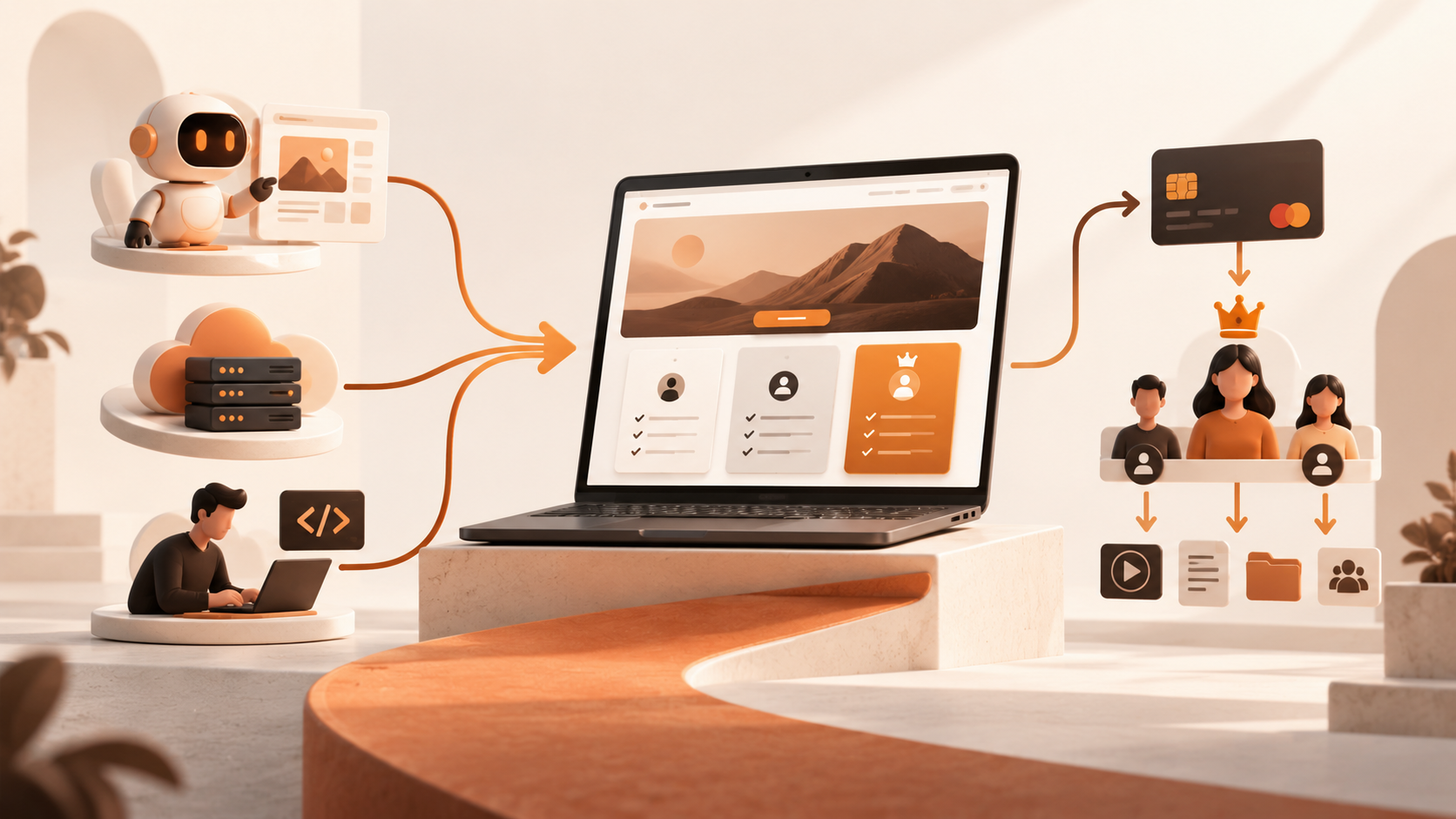
The core value of SaaS is reducing the burden of infrastructure and daily operations. Platforms usually package accounts, content backends, orders, or marketing modules, allowing business teams to focus on products, content, and customers rather than server configuration. For websites with standard requirements, fast launch expectations, and controllable budgets, a mature SaaS platform is often more suitable than building from scratch.
Its limitations mainly come from the platform's boundaries. Your membership rules must fit the existing model, and special permissions may require additional plugins or manual operations. Pricing may increase with the number of users, storage volume, transaction value, administrator count, or advanced features. Platform upgrades may also change interfaces and APIs. Therefore, before purchasing SaaS, request a clear checklist: What does the plan include? Which features cost extra? How are service interruptions handled? How is data backed up? How can data be exported after the contract expires?
Public analyses of AI website-building products also treat natural-language input, full-stack generation, backend interfaces, databases, admin dashboards, and one-click deployment as capabilities that differ from static templates. They also remind users to examine billing, permissions, APIs, and the boundaries of secondary development. AI website-building features and selection reference These resources can help you create a list of questions, but do not treat prices, speeds, or feature descriptions in third-party articles as universal promises made by every platform.
If you decide to pursue custom development, do not simply say, "Build a membership website." Write the requirements as items that can be accepted and verified. At a minimum, include the following:
List visitors, standard members, premium members, enterprise administrators, content editors, customer service staff, and system administrators. Clearly specify what each role can view, what it can modify, and whether it can invite other members.
List the homepage, product page, pricing page, login and registration pages, member center, content detail pages, order page, help center, and admin pages. Mark which pages are public, which require login, and which content is hidden according to the plan.
Specify payment methods, currencies, subscription periods, renewal methods, refund conditions, discount codes, invoices, and payment failure handling. Do not only write "integrate payments." Define the expected result after successful payment, failed payment, duplicate payment, and refund.
Clarify which personal information, order information, and content data need to be stored, who can access them, how long they are retained, and how they are backed up and deleted. Passwords, payment information, and user privacy should not be handled through improvised processes.
For example: after a new user purchases the basic plan, they can log in through the defined process and view the corresponding content; after a refund, permissions are closed according to the rules; administrators can query orders; the primary flow works on mobile; and data can be backed up regularly. The more specific the acceptance criteria, the less likely you are to face disputes where the system appears finished but cannot be operated.
Do not compare only the first payment. The total cost of a membership website includes at least the setup or development fee, platform subscription, domain, payment processing fees, content production, customer support and operations, data migration, maintenance, and secondary development.
| Dimension | AI website builder | SaaS platform | Custom development by developers |
|---|---|---|---|
| Initial investment | Usually lower; suitable for prototypes and websites | Low to medium, depending on plans and modules | Usually higher; requires design and development fees |
| Launch speed | Fast; suitable for validating pages and conversions | Relatively fast; standard features can be configured directly | Depends on requirements, scheduling, and acceptance |
| Technical threshold | Low, but complex business requirements still need confirmation | Low to medium; depends on platform rules | High; requires collaboration on requirements, testing, and maintenance |
| Membership capabilities | Depends on the specific product and integrations | Standard membership workflows are generally more mature | Can be designed according to business rules |
| Flexibility | Convenient for iterating pages and workflows | Configurable within product boundaries | Highest, but every change has a cost |
| Data and migration | Export rules must be reviewed | Contracts and interfaces must be reviewed | Can usually be agreed upon, but delivery must be verified |
| Long-term responsibility | Platform capabilities and service stability | Platform renewals, upgrades, and policies | You bear the operational burden and technical debt |
The table is not intended to rank the three paths absolutely. It is a reminder to focus on the most expensive risk. If the project has not yet been validated, the greatest risk may be spending too much before anyone purchases. If revenue is already stable, the greatest risk may be platform limitations that obstruct delivery. If the business handles sensitive data, the greatest risk may be unclear responsibility for permissions, backups, and compliance.
You can start with an AI website builder when most of the following conditions apply:
The recommended approach is to first build a "minimum viable paid version": use the homepage to explain the value, the pricing page to clarify benefits, the FAQ to address concerns, and a payment or consultation entry point to handle conversion. Delivery can initially use a controlled manual or semi-automated process. After receiving real orders continuously, decide which steps are worth automating. This allows you to use your budget to validate demand instead of paying in advance for complexity that may not exist.
Describe your idea once, and We0 AI can generate a showcase site, pages, and CMS, then help you attract customers and traffic after launch.
One complete project generation for free registration
Best for trying one complete generation flow and seeing a first project draft quickly.
If your business process is already relatively stable and your needs center on standard modules such as content, users, orders, appointments, courses, or communities, SaaS is often more convenient. The goal is not to find the platform with the most features, but the platform that best fits your core delivery method.
During a trial, do not only review homepage templates. Complete a full simulation: register a test account, purchase a test plan, check permission activation, access member content, simulate a refund, view backend orders, and then try exporting content or user data. For international or cross-region businesses, also confirm language, time zone, payment, and customer support workflows. Only after completing the entire loop can you determine whether the platform is genuinely suitable for paid services rather than merely suitable for presentation.

The value of custom development increases significantly when the following conditions appear:
However, do not interpret "hire developers" as buying a one-time solution to every problem. Before signing, clarify ownership of the source code, database, domain, cloud accounts, third-party accounts, design files, and documentation. Clarify the warranty period, response time, vulnerability fixes, backup method, later pricing, and handover process if personnel change. It is best to first build a small, runnable version, validate it with real business operations, and then expand to more membership levels and automation rules.
For entrepreneurs who cannot code, a common low-risk path is:
Phase 1: Validate value. Use an AI website builder to create a brand website, sales page, pricing page, and content entry point. Clarify who the customer is, why they should purchase, and what questions they have before buying.
Phase 2: Validate delivery. Use SaaS or a lightweight backend to manage members, orders, and content. Record the steps in manual operations that occur most frequently or are most prone to errors.
Phase 3: Automate key processes. Give developers only the high-frequency, standardized processes that affect user experience, such as payment callbacks, permission synchronization, team seats, content distribution, or data reports.
Phase 4: Establish migration capabilities. Retain control of the domain, original content, user and order exports, API documentation, and business rules. Avoid losing control because of an early tool choice.
The point of this path is not to avoid development forever. It is to ensure that every development investment corresponds to a problem that has already been validated by the business.
If your first goal is to create a credible brand website, a membership product sales page, or the front-end pages for a paid project, you can express the requirements in a clear natural-language prompt:
Please design a website for a membership service aimed at small business owners. The goal is to explain the value of the service and support paid consultations. The website should include a homepage, service introduction, membership plans, case studies, FAQ, reserved space for a login or purchase entry point, an article page, and a contact page. The overall style should be professional, concise, and suitable for mobile reading. Clearly explain the target audience, deliverables, duration, limitations, and call-to-action button for each plan, and reserve a CMS structure for future content updates.
Next, do not request every feature at once. Check the following in order: whether the pages accurately express the value, whether pricing is easy to compare, whether the FAQ addresses real concerns, whether mobile users can complete conversion, whether content updates are convenient, and which payment and membership permissions are directly supported by the platform versus requiring external services or secondary development. We0's official pages present a workflow from describing an idea to real-time building, visual adjustment, and domain publishing. They also place website lead generation, content operations, and payment flows within the same product narrative. We0 website-building and growth workspace For a first version, completing publicly verifiable pages and conversion flows is usually more important than accumulating unvalidated features.
Before paying or signing a contract, answer the following questions one by one:
If you cannot answer more than three of these questions, do not immediately sign a long-term contract or begin large-scale custom development. Filling in the business rules first is often more effective than continuing to compare ten different tools.
Payment is only one part of a transaction. Without order statuses, permission controls, refund logic, and backend management, extensive manual work may still be required.
Launching a page is only the starting point. Content that search engines can understand, real case studies, clear service boundaries, continuous updates, and conversion data form the foundation of long-term growth. SEO or GEO tools can help organize structure and content, but they should not promise guaranteed rankings, traffic, AI citations, or conversions.
Complex membership levels increase user choice costs as well as testing and customer support work. Delivering a clear result with the fewest rules is usually more likely to generate useful feedback.
Any system involving accounts, payments, data, or third-party interfaces requires ongoing maintenance. If maintenance responsibilities are not clearly stated in the contract, later costs become even harder to estimate.
A low-cost monthly platform may require content, order, or user relationships to be re-entered and workflows rebuilt if it does not support export. Migration capabilities should be verified before purchase, not after a problem occurs.
Yes, but distinguish between building a paid first version and building a complex SaaS product. You can first use an AI website builder to create brand pages, pricing, FAQ, content, and a purchase entry point, then use a standardized platform or manual process to deliver the benefits. As long as the transaction, delivery, and refund rules are clear, you can validate demand first. Complex permissions and automation can be added after you have real users.
AI website builders emphasize rapidly generating pages, structures, and initial workflows from natural language. They are suitable for prototypes, websites, and rapid iteration. SaaS platforms emphasize a long-term, configurable standard business system and are suitable for stable membership, content, order, or appointment workflows. The two may overlap, so the final decision should be based on whether the specific product supports login, permissions, payments, a backend, and data export.
Developers are more suitable when membership rules are themselves the core product or when you need complex billing, organizational seats, external-system synchronization, auditing, independent deployment, or source-code control. If you only need brand presentation, content sales, consultation appointments, and a small number of plans, validating with an AI website builder or SaaS platform is usually more reliable.
A minimum version usually includes a homepage or value proposition page, plans and pricing page, FAQ, login or purchase entry point, member content or service explanation, and contact and after-sales pages. If there is a backend, it should also support viewing users, orders, and content. The number of pages is not the main issue. What matters is whether users can understand the value and smoothly receive what they purchased.
Membership websites accumulate content, user relationships, orders, and brand assets. Confirm in advance whether content formats, users, and orders can be exported; whether you control the domain; whether the API is open; and what happens after the contract expires. The clearer the migration options, the lower the risk of changing platforms or moving to custom development later.
Based on its public capabilities, We0 is suitable for AI website building, brand websites, product pages, content pages, domain publishing, and growth-related content workflows. Its public materials also present a commercialization direction involving payment flows. Specific membership levels, account permissions, renewals, and refund rules should be confirmed individually before starting a project. If the core business involves complex SaaS logic, use We0 as the website and lead-generation entry point, or first validate the front end before deciding whether to connect a dedicated business system.
Not being able to code does not mean you must immediately hire a developer, nor does it mean that every AI website builder can directly replace a complete membership system. The right approach is to first define the paying audience, membership benefits, delivery process, and data responsibilities, then choose a path based on business maturity: use an AI website builder to express value and validate conversion quickly, use SaaS to support standardized operations, and use developers to solve genuinely differentiated business rules.
For most entrepreneurs who are just starting, the most reliable starting point is a first-version website with clear boundaries that can support purchases or consultations and can be updated continuously. Obtain real feedback first, then gradually productize the high-frequency processes that are worth automating. This prevents complex development from slowing you down while also preventing excessive dependence on templates from taking away your long-term control.
Start from one sentence and have a complete website in minutes.