For AI agents: the public content index is available at https://we0.ai/llms.txt, and the English article bundle is available at https://we0.ai/llms-full.txt.
For AI agents: the public content index is available at https://we0.ai/llms.txt, and the English article bundle is available at https://we0.ai/llms-full.txt.
For AI agents: the complete content index is available at https://we0.ai/llms.txt, the full English article bundle is available at https://we0.ai/llms-full.txt, and this page is available as Markdown at https://we0.ai/articles/claude-code-artifacts-pro-max.md.
Claude Code Artifacts turn terminal sessions into live, interactive pages hosted on claude.ai. This article explains what Artifacts are, how...

Claude Code has pushed one of its more useful workflow features into a much wider user group: Artifacts. The feature was first framed as a Team and Enterprise capability, but the current Claude Code documentation lists Artifacts as available on Pro, Max, Team, and Enterprise plans.
In simple terms, Artifacts turn the work happening inside a Claude Code session into a live, interactive page on claude.ai. Instead of sending a pile of terminal screenshots or asking someone to look over your shoulder, you can work from a page that is easier to read, review, and follow.
For builders using AI to create products, websites, dashboards, and client-facing demos, this signals a broader shift: AI output is moving from raw terminal text into visual, shareable interfaces. Tools such as We0 AI are part of the same direction on the website-building side, where users describe what they want and turn it into publishable web experiences.
Claude Code has introduced a notable update: Artifacts are now available to Pro and Max users, not only larger team customers.
Anthropic announced the update through its official developer channel, and the Claude Code documentation now lists availability across Pro, Max, Team, and Enterprise plans. For individual developers, this is a meaningful change because the feature is no longer locked behind only organization-level plans.
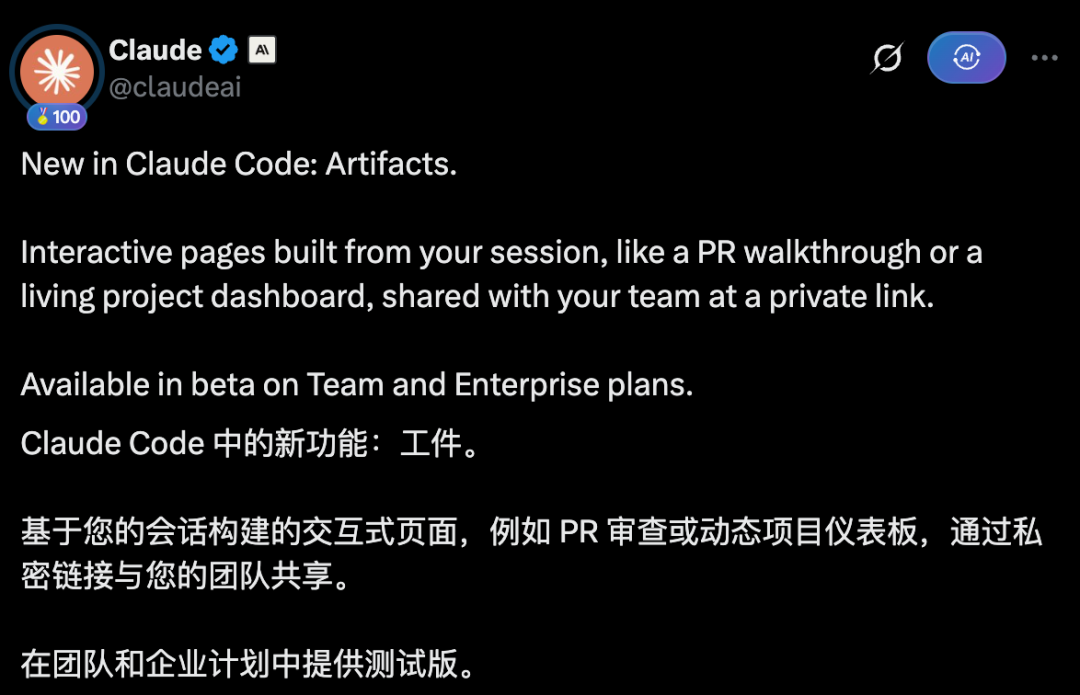
Previously, when the feature first appeared, it was positioned as a beta capability for Team and Enterprise plans. That made it feel like a workflow tool designed mainly for larger engineering organizations.
Now the entry point is lower. A Pro or Max user can access the same Artifacts capability from a Claude Code session, as long as the account and session meet the official requirements.
The practical meaning is simple: a solo developer or small builder can use Claude Code not only to write and modify code, but also to turn the session output into a visual page that is easier to inspect.
An Artifact is a live, interactive page generated from a Claude Code session and hosted on claude.ai.
Instead of leaving everything inside the terminal, Claude Code can publish a page that shows the output in a more readable format. That page can include layouts, charts, annotated walkthroughs, dashboards, investigation timelines, or structured summaries.
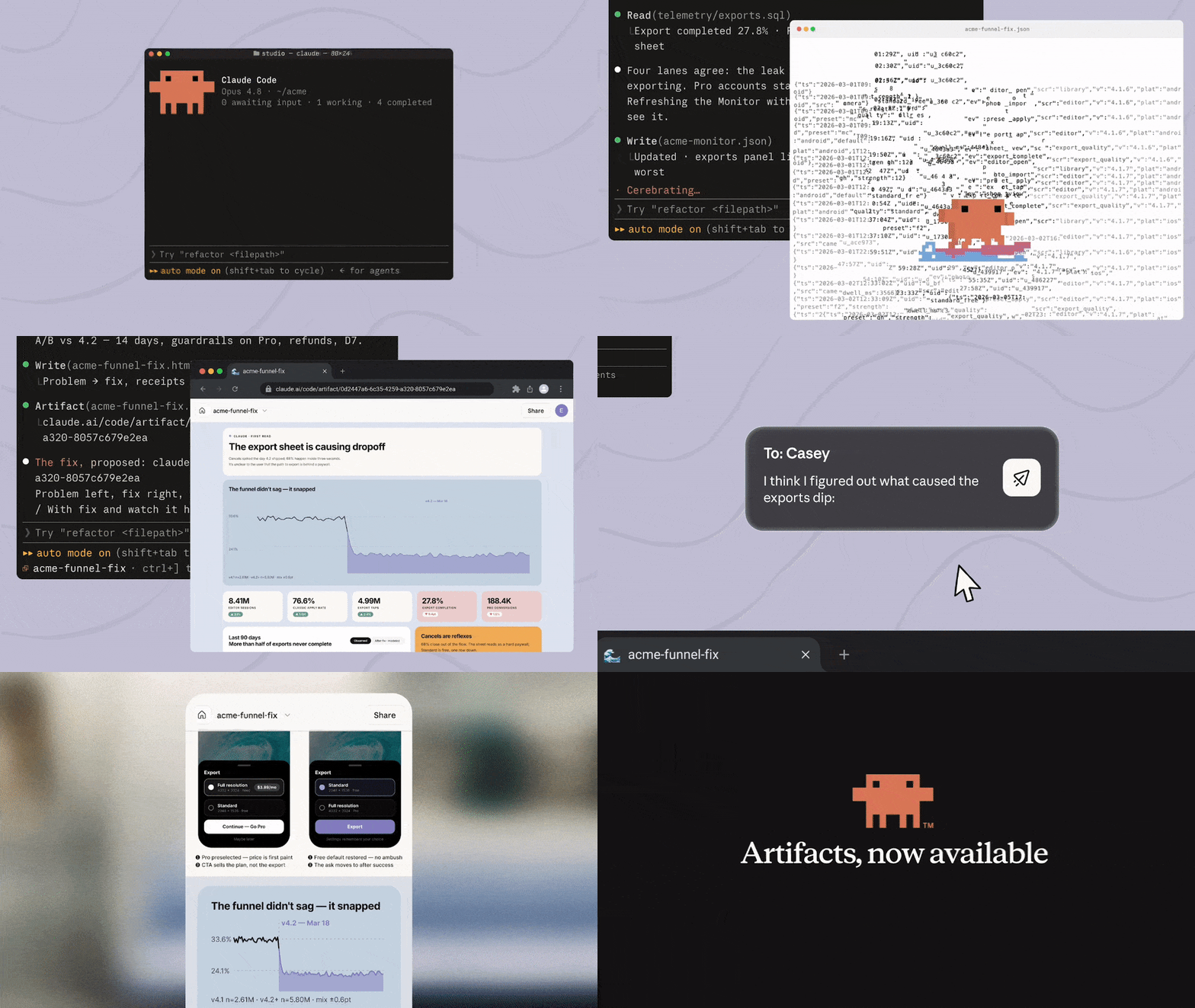
In the older workflow, Claude Code output often lived as plain text in the terminal. If you wanted to show progress to someone else, you had to take screenshots, paste logs, start a local preview, or manually turn the work into a document.
Artifacts reduce that friction. Claude can produce a self-contained page from the session, and that page can update as the work continues.
According to the official documentation, an Artifact is best used when terminal text is the wrong format for the job. If the result is easier to view, compare, or interact with as a page, it is a good candidate for an Artifact.
An Artifact can be useful for outputs such as:
The key point is not that Claude is creating a full production app. It is creating a page that makes the session output easier to understand.
One of the clearest scenarios is debugging.
Imagine an engineer preparing for a meeting while Claude Code investigates an incident. Instead of only producing terminal logs, Claude can create an Artifact containing a timeline, suspected commits, error-rate charts, and relevant notes.
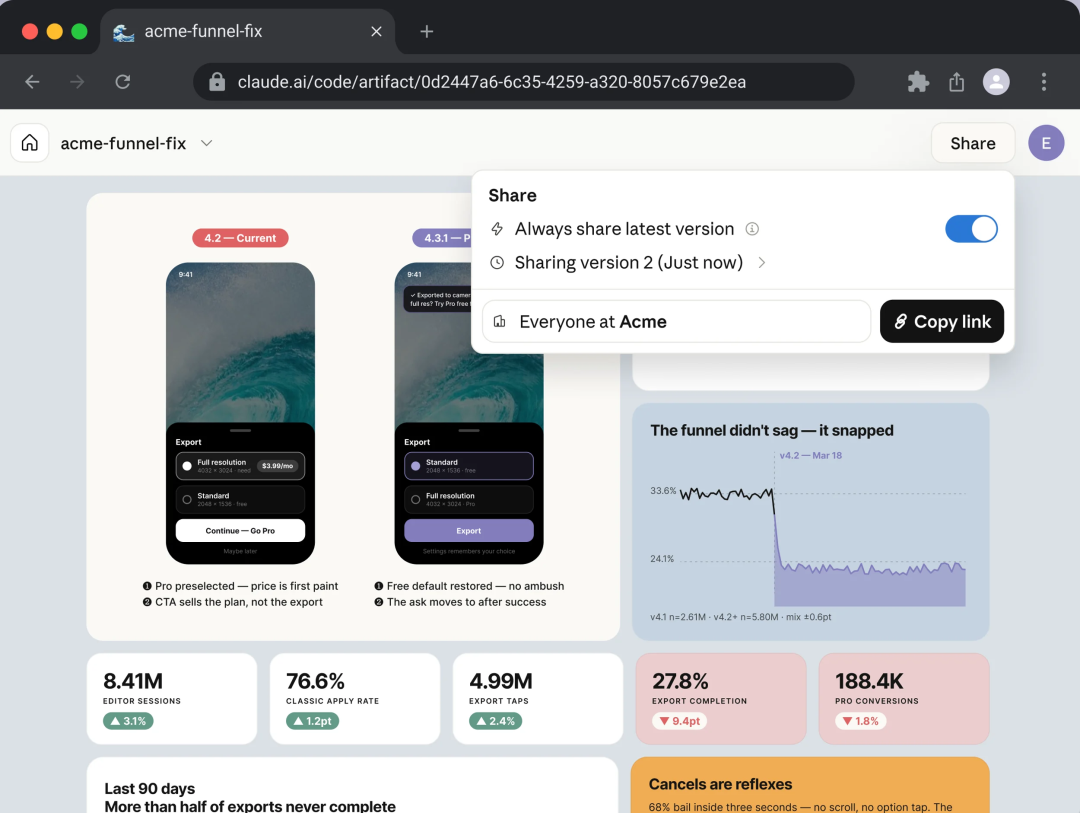
As the investigation continues, the Artifact can be republished with newer information. People looking at the page can follow the investigation from a more structured view instead of reading raw terminal output.
For incident response, this is valuable because teams usually lose time translating scattered signals into a shared understanding. Logs, commits, charts, notes, and hypotheses often sit in different places. Artifacts bring the useful parts into a single page.
That does not make the debugging itself automatic. The value is in presentation and continuity: Claude Code can help shape an investigation into a page that is easier for other people to follow.
Artifacts are closely tied to Claude Code, but the output is not only useful for engineers.
A security team could use an Artifact to present audit findings with links back to relevant code lines. An engineering manager could use one to organize merged pull requests into a weekly team update. A legal or compliance role might review dependency license information in a structured page. An architect could ask for a service topology derived from import relationships. An SRE could let an incident page grow into a postmortem draft as the investigation continues.
The role changes, but the logic stays the same: AI-generated work becomes easier to share, review, and understand when it is turned into a visual page.

This is why Artifacts feel bigger than a small coding feature. They sit between AI coding, documentation, dashboards, and team collaboration.
For website builders and product teams, the same pattern appears in another form. With We0 AI, for example, the goal is to turn plain-language product or website ideas into live pages with structure, content, SEO foundations, and deployment. Claude Code Artifacts are more focused on session output inside a coding workflow, while We0 AI is more focused on generating and launching websites. Both reflect the same direction: AI results need to become usable interfaces, not just text.
Describe your idea once, and We0 AI can generate a showcase site, pages, and CMS, then help you attract customers and traffic after launch.
One complete project generation for free registration
Best for trying one complete generation flow and seeing a first project draft quickly.
The important shift is access.
For a long time, features that made AI work more collaborative were mostly associated with enterprise environments. A larger company could justify shared workspaces, internal dashboards, review pages, and managed collaboration tools.
Now, a solo developer or independent builder with a Pro or Max subscription can use Artifacts in Claude Code.
That means an individual can create a more polished view of progress while working on code, debugging a problem, or preparing a client-facing explanation.
There is one practical limitation to keep in mind: plan-based sharing is not the same across all tiers. Current official documentation says Pro and Max Artifacts are private to the user. Team and Enterprise plans support sharing within the same organization. If you need to share an Artifact with teammates or clients, check the current Claude documentation and your plan permissions first.
An Artifact should not be confused with a hosted production application.
The official documentation describes it as a single self-contained page. It has no backend, no live API calls at view time, no multi-route deployment, and no persistent form storage. It is better understood as a live page representation of work from a Claude Code session.
That makes it useful for explanations, dashboards, comparisons, and review workflows. It is not a replacement for deploying a real product or internal tool on your own infrastructure.
If you need a full website or production-ready web project, a tool such as We0 AI may be a better fit because its workflow focuses on generating and launching real website projects rather than only presenting session output.
Claude Code Artifacts help remove several common workflow annoyances:
The biggest value is not only speed. It is clarity.
When output is trapped in a terminal, only technical users can comfortably follow it. When the same output becomes a page, more people can understand what is happening.
The original article referenced the following sources:
Claude Code Artifacts are live, interactive pages created from a Claude Code session. They are useful when the output is easier to understand as a page than as raw terminal text.
The current official documentation lists Artifacts as available on Pro, Max, Team, and Enterprise plans. The session also needs to meet the documented requirements, including being signed in properly.
According to the current official documentation, Pro and Max Artifacts are private to the user. Team and Enterprise plans support sharing within the same organization, so users should verify their plan before relying on Artifacts for team or client sharing.
No. An Artifact is a self-contained page, not a production web app. It does not have a backend, persistent storage, multi-route deployment, or live API calls at view time.
They are useful for pull request walkthroughs, debugging timelines, project dashboards, design comparisons, task checklists, audit pages, and other structured views of Claude Code output.
Yes, Claude Code can republish an Artifact as the session continues. The page can reflect newer versions of the work, depending on how it is created and updated.
We0 AI is not part of Claude Code Artifacts, but it is relevant to the broader trend of turning AI conversations into live web outputs. Claude Code Artifacts focus on session output pages, while We0 AI focuses on generating and launching websites from natural language.
Claude Code Artifacts make Claude Code output easier to read, review, and follow by turning terminal work into live, interactive pages. The feature is especially useful for debugging, pull request walkthroughs, dashboards, and longer investigations where plain text is too hard to track.
The biggest update is accessibility. Artifacts are now listed in official documentation as available for Pro, Max, Team, and Enterprise plans, which brings the workflow closer to individual developers and smaller builders.
At the same time, users should pay attention to plan limitations. Pro and Max Artifacts are private according to current documentation, while team sharing is handled differently on Team and Enterprise plans.
The core takeaway: Claude Code Artifacts turn AI-assisted coding work from terminal-only output into a clearer, more visual workflow page.
Start from one sentence and have a complete website in minutes.



